Run Mochi 1 on Windows (2026 ComfyUI Guide): Install, Tune, Compare
Learn how to install and optimize Mochi 1, the groundbreaking AI video generator, on Windows. Explore hardware tips, cloud setups, and advanced features for stunning results
A collection of 198 posts
Learn how to install and optimize Mochi 1, the groundbreaking AI video generator, on Windows. Explore hardware tips, cloud setups, and advanced features for stunning results
Running Tülu 3 on Windows is an exciting opportunity to harness the capabilities of advanced AI models for various applications, from natural language processing to machine learning tasks. This guide provides a comprehensive step-by-step approach to installing and running Tülu 3 on a Windows operating system. What is Tülu 3?
Quick answer. Mochi 1 still installs cleanly on Apple Silicon via ComfyUI, but in 2026 Wan 2.2 and LTX-Video usually beat it on both quality and speed. Run Mochi 1 only if you specifically want its prompt adherence; pick Wan 2.2 otherwise. Expect minutes per short clip on
Discover how to deploy DeepSeek's Janus-Pro 7B on Azure for advanced multimodal AI tasks. Explore setup steps, use cases, cost optimization tips, and more.
Last updated April 2026 — refreshed for current model/tool versions. DeepSeek Janus Pro 1B is a lightweight, open-source multimodal model that does both image understanding and image generation from a single transformer. This guide walks through every step to run it locally on Windows via ComfyUI — covering two install paths,
Last updated April 2026 — refreshed for current model/tool versions. DeepSeek Janus Pro 7B is a unified multimodal model that handles both image understanding and text-to-image generation in a single framework — an architectural approach that places it in direct competition with DALL-E 3 and Stable Diffusion 3 on standard benchmarks.
Learn how to deploy DeepSeek's Janus-Pro-7B multimodal AI model on AWS with this step-by-step guide. Optimize performance, reduce costs, and integrate AWS services like EC2, S3, and SageMaker.
Last updated April 2026 — refreshed for current model/tool versions. DeepSeek Janus Pro 1B is a compact multimodal model that handles both image understanding and text-to-image generation in a single unified architecture. This guide shows exactly how to install and run it on an Apple Silicon Mac using ComfyUI, covering
The DeepSeek Janus Pro 1B is a cutting-edge multimodal AI model that seamlessly integrates advanced text and image processing capabilities. This guide provides a step-by-step approach to deploying the Janus Pro 1B model on Amazon Web Services (AWS), covering configurations, optimizations, and best practices for efficient deployment. Overview of DeepSeek
Introduction to TangoFlux TangoFlux is a cutting-edge generative model developed by the DeCLaRe Lab at the Singapore University of Technology and Design. This model is specifically designed for Text-to-Audio (TTA) applications, which allows the generation of audio based on textual prompts. TangoFlux leverages advanced technologies such as Flow Matching and
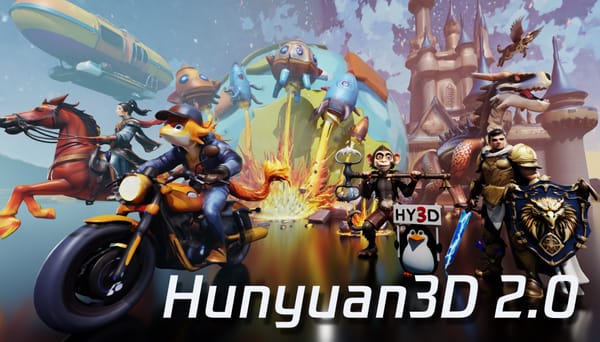
Quick answer. Run Hunyuan3D-2 on Windows via WinPortable (recommended, August 2025 build, CUDA 12.9 or 12.6). Plan for 10 GB VRAM for shape only, 21 GB for texture, ~29 GB for the full pipeline; 6 GB VRAM works via the Hunyuan3D-2GP fork with MMGP offloading. Hunyuan3D-2.1 is
Quick answer. The simplest way to run Tencent's Hunyuan3D-2 image-to-3D model on macOS is Pinokio, an AI browser that scripts the full install, pulls the 50GB+ weights, and launches the Gradio UI. Power users can use ComfyUI instead. Without an NVIDIA GPU and CUDA rasterizer, expect untextured mesh
Hunyuan3D-2 is an advanced open-source 3D modeling tool developed by Tencent, designed to generate high-resolution 3D assets from images and text. This guide provides a step-by-step approach to installing and configuring Hunyuan3D-2 on an Ubuntu machine. System Requirements Before installing Hunyuan3D-2, ensure your system meets the following requirements: * Operating System:
To set up the Qwen2.5-1M model locally on Ubuntu/Linux, follow this comprehensive step-by-step guide. This guide will cover system requirements, installation of dependencies, launching the model, and troubleshooting common issues. Want the full picture? Read our continuously-updated Self-Hosting LLMs Complete Guide (2026) — hardware, ollama and vllm, cost-per-token, and
Quick answer. Running Qwen2.5-1M on Windows at full 1M-token context needs heavy VRAM: 7B needs ~120 GB and 14B needs ~320 GB. At a 32k context, Q4_K_M quantization brings 7B down to ~12 GB and 14B to ~24 GB — consumer-GPU territory. Ollama on Windows is the simplest
How to Set Up the Qwen2.5-1M Model Locally on Your Mac Artificial intelligence (AI) models have revolutionized technology in recent years, enabling applications that were once thought to be science fiction. Among these, the Qwen2.5-1M model stands out for its impressive capabilities in natural language processing (NLP) tasks.
Running DeepSeek R1 locally on your macOS Sequoia 15.3. This comprehensive guide will walk you through the installation process using Ollama, enabling you to leverage DeepSeek's advanced reasoning capabilities for your projects.
Want to create a custom ChatGPT-like application? In this guide, we’ll walk you through building an AI-powered chatbot from the ground up using Deepseek R1 on Ubuntu 24. Learn how to set up, customize, and deploy your own conversational AI with practical code examples and troubleshooting tips.
Discover how to deploy DeepSeek R1, a powerful open-source reasoning AI, on your Linux VM. This step-by-step guide simplifies API integration, recommends the best model for your hardware, and ensures privacy-first, cost-effective AI solutions—perfect for beginners!
Explore DeepSeek R1’s open-source AI models, from lightweight 1.5B to enterprise-grade 671B MoE architectures. This guide analyzes each variant’s strengths, ideal use cases, and step-by-step RAG integration for domain-specific tasks.
DeepSeek R1 is an innovative AI model that empowers users to tackle complex reasoning tasks easily. Running DeepSeek R1 on Ubuntu 24 is straightforward, even for beginners. By following our step-by-step guide, you can install the necessary tools, download the model, and start interacting with it in no time. Whether
Python frameworks help to automatically reduce the development time of the developer and automate the redundant project. The best part is that Python allows a wider range of frameworks where every framework has its own benefits as per the varied needs of a project. Python is a general-purpose, high-level programming
With the rapid development of Artificial Intelligence & Machine Learning in different walks of the IT industry, the demand for a trained, competent artificial intelligence engineer is at an all-time high. Developing AI-powered solutions is a promising activity across many sectors, that have started embracing artificial intelligence (AI) & Machine