If you’re running a small business in 2026, you’ve probably said this at least once:
“There’s too much to do… and too little time to do it.”
That’s exactly where modern AI tools have quietly become the “extra team members” you don’t have to hire, train, or put on payroll.
Not the loud, hype-driven AI from a few years ago…
But a more mature, workflow-focused AI layer that runs in the background while you focus on sales, customers, and strategy.
Across industries, small businesses now use AI tools daily to:
- Write and design marketing assets in minutes
- Automate repetitive admin, reporting, and follow-ups
- Personalize customer journeys without hiring a big team
- Get financial and sales insights they used to pay consultants for
So instead of another “copy‑paste” list, this is a practical, experience-based breakdown of the top 10 AI tools for small business growth in 2026 – the ones that:
- Have stable, proven features (not just beta experiments)
- Offer clear pricing that makes sense for small teams
- Actually help you get more customers, keep them longer, and work faster
How This Guide Evaluates & “Benchmarks” AI Tools
Rather than fake performance numbers, this guide benchmarks tools on how well they fit real small businesses, using:
- Growth impact – Does it directly help you get more leads, sales, or better retention?
- Feature depth (in 2025–26) – Are the AI features mature and actively updated?
- Small-business-friendly pricing – Can a 3–10 person team actually afford it?
- Learning curve – Can non-technical staff use it within a week?
- Ecosystem & integrations – Does it play nicely with tools you already use?
- Data safety & control – Clear policies and business-ready setups.
Information is based on official pricing pages, recent 2025–26 guides, and feature announcements from the vendors and well-known SaaS reviewers.
You’ll also see testing tips for each tool – so you can run a 1–2 week experiment instead of spending months “researching.”
Quick Comparison Chart: 10 Best AI Tools for Small Business Growth (2026)
*Pricing is indicative and often depends on billing cycles, currency, and promotions. Always check the official pricing page before buying.
1. ChatGPT Team – Your Always-On Generalist for Content, Support & Strategy
If you want a single AI tool that touches almost every part of your business, ChatGPT is that core “brain.”
With ChatGPT Team, small teams get shared workspaces, better privacy, and higher limits than the free or Plus plan – making it a realistic “AI team member,” not just a toy.
What ChatGPT Team Can Do for Growth
- Content & campaigns: Write blogs, landing pages, ads, email sequences, social content, and even A/B variants in minutes.
- Customer support drafts: Generate reply templates and help center articles, then plug them into your helpdesk tool.
- Internal docs: Draft SOPs, job descriptions, internal memos, and policy documents.
- Analysis: Summarize call transcripts, survey responses, or CSV exports; suggest next actions.
Pricing Snapshot & Plans
Recent 2025–26 comparisons show:
- ChatGPT Plus – $20/month (single user, advanced models, web access).
- ChatGPT Team – around $25/user/month (annual) or $30/user/month (monthly) with a minimum seat requirement, giving shared workspace and higher limits.
How It’s Different from Other AI Writers
Most AI copy tools (Jasper, Copy.ai, etc.) focus only on content. ChatGPT:
- Works across content, analysis, coding, customer support, and internal workflows.
- Can be integrated into other tools via APIs, Zapier, and native connectors.
- Evolves quickly, with improved reasoning models and tools for files, browsing, and data analysis.
USP for Small Businesses:
A single subscription that can replace or reduce the need for multiple AI writers, basic research tools, and assistants – while still staying affordable for 2–10 person teams.
How to Test It in 7 Days
- Pick one core use-case: blog creation, customer email replies, or proposal drafting.
- Create 3–5 robust prompts and reuse them across a week (instead of random chatting).
- Track: hours saved, number of assets produced, and whether you or your team would pay the monthly fee from your own salary – that’s a good reality check.
2. Notion AI – The “Brain That Organizes Your Team”
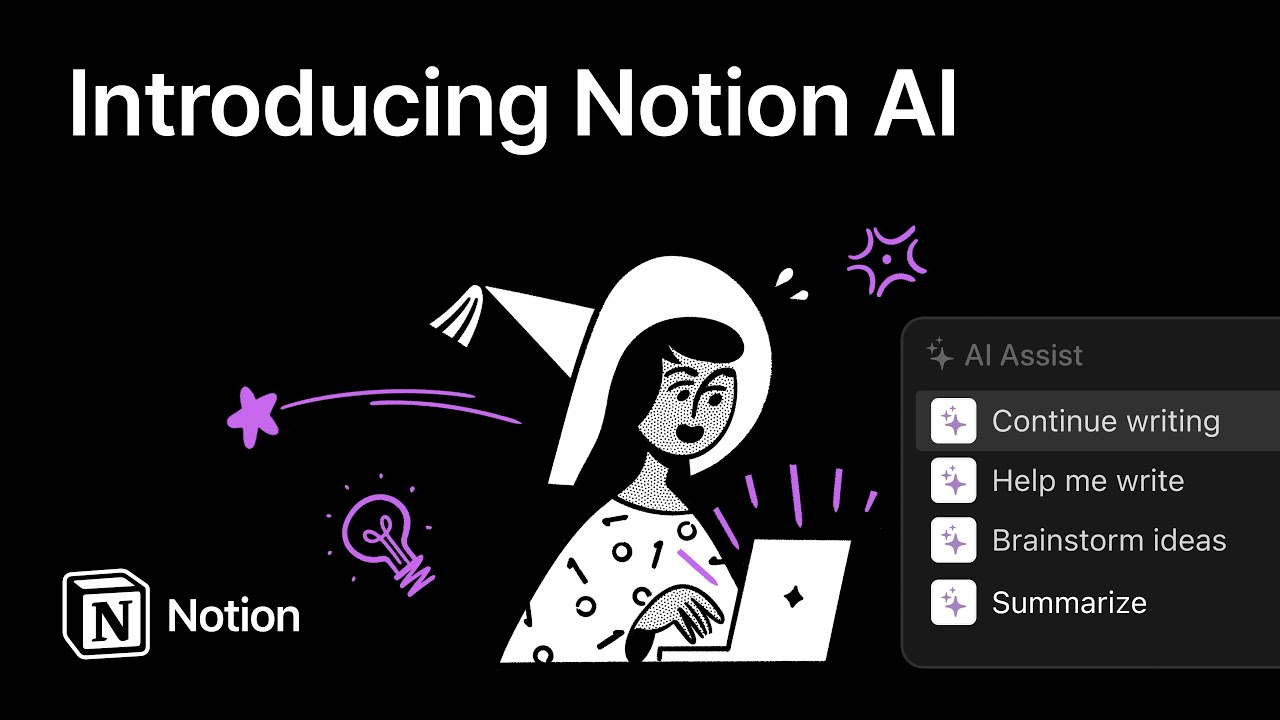
If your team is drowning in docs, notes, tasks, and random Google Drive files, Notion AI feels like a smart, organized teammate that lives inside your workspace.
Recent pricing guides show Notion AI as a paid add‑on: around $10/user/month (monthly) or $8/user/month (annual) on top of your Notion plan, while Business and Enterprise plans include AI at higher per-seat prices.
What Notion AI Does for Growth
- Turn chaos into SOPs: Convert messy notes into structured Standard Operating Procedures.
- Summarize meetings & docs: Paste Zoom transcripts or long documents and get action lists.
- Generate project plans: Turn a vague idea into task lists, timelines, and responsibilities.
- Help with knowledge management: Q&A over your internal docs for faster onboarding and less “Where is that file?” frustration.
How It Compares to Other Workspace Tools
- Vs. Google Docs + ChatGPT: Docs + ChatGPT gives great writing, but Notion AI is natively attached to pages, databases, and tasks – better for ongoing projects.
- Vs. ClickUp AI / Coda AI: These are strong alternatives, but Notion wins for many small teams on simplicity, templates, and community.
USP for Small Businesses:
Instead of buying project management + knowledge base + AI writing, Notion AI lets you keep everything in one flexible workspace with AI layered directly on top.
How to Test It in 7 Days
- Import your existing docs/tasks (SOPs, onboarding, meeting notes).
- Use Notion AI to:
- Summarize 5–10 long pages
- Create 2–3 SOPs from scratch
- Turn a meeting note into a project plan
- Ask your team: “Is this easier than our old docs system?” If yes, you’ve probably found your new internal hub.
3. Zapier + Zapier AI – The Automation “Glue”
If your business already uses multiple apps (Gmail, Slack, CRM, payment gateways, spreadsheets), Zapier is the automation layer that connects them. In 2025–26 they’ve doubled down on AI with Zapier Copilot and AI-powered chatbots.
What Zapier + AI Does for Growth
- Automated lead capture: Push leads from forms/ads into your CRM, send Slack alerts, and trigger nurturing emails.
- Operations automation: Sync invoices, update spreadsheets, set reminders, and move data between tools.
- AI chatbots: Create site or internal chatbots without coding, trained on your docs and connected to your tools.
- AI fields & Copilot: Let AI suggest steps in your workflows and transform text (summaries, translations, clean-up).
Pricing Snapshot
Current pricing highlights:
- Free: 100 tasks/month, simple Zaps – good for testing.
- Professional: From $19.99/month, with multi-step Zaps and premium apps.
- Team: From $69/month for collaboration.
- AI Chatbots: Pro chatbot plans around $13.33/month for multiple bots.
How It’s Different from Other Automation Tools
- Vs. Make, n8n: Those are powerful, but often more technical. Zapier focuses on non-developer friendliness.
- Vs. built-in tool automations: CRMs and email platforms include automations, but Zapier connects everything – perfect for scrappy stacks.
USP for Small Businesses:
You can start with one or two workflows, get real value quickly, and then expand without hiring an engineer.
How to Test It in 7 Days
- Identify three “if this, then that” tasks, such as:
- “If a Calendly meeting is booked → add to CRM + send WhatsApp template.”
- “If a new order is paid → send Slack alert + add to Google Sheet.”
- Build these Zaps using templates.
- Watch how many manual steps disappear within a week.
4. HubSpot AI – All in One Connected System
If your growth depends heavily on leads, email campaigns, and sales pipelines, HubSpot’s AI suite brings smart features on top of its well-known CRM.
Recent 2025 updates added AI Agents, AI Insights, ChatSpot, AI forecasting, and AI-generated reports, many available in Free or Pro+ tiers across hubs.
What HubSpot AI Brings to the Table
- AI content & campaigns: Subject line generation, blog drafts with integrated SEO data, social copy generation, and “content remix” for multi-channel reuse.
- AI-powered CRM: Lead scoring, deal forecasting, and conversation intelligence on calls.
- AI agents for support: Chatbots and AI agents to handle FAQs and customer support across live chat and email.
- AI reporting & insights: Ask questions in natural language and get reports generated for you.
Pricing Snapshot
- Many AI features (like basic content tools, reports, ChatSpot) are available on Free+ tiers, while advanced features (AI forecasting, advanced agents, mobile AI, etc.) are tied to Pro and Enterprise plans in Marketing, Sales, and Service Hubs.
- HubSpot remains on the expensive end for full-suite usage, often 3x costlier than Pipedrive for comparable sales setups, based on 2025 CRM comparisons.
How It Compares to Other CRMs
- Vs. Pipedrive: HubSpot is deeper for multi-channel marketing, complex automations, and reporting, but also pricier.
- Vs. Salesforce Einstein: HubSpot is usually easier to implement and more accessible to smaller teams.
USP for Small Businesses:
If you’re ready to professionalize your marketing & sales stack, HubSpot AI gives you one connected system where CRM, emails, forms, landing pages, and reports all talk to each other.
How to Test It in 14–21 Days
- Start with the Free CRM + basic AI tools.
- Set up:
- 1 lead capture form
- 1 simple email nurturing sequence
- AI-powered lead score
- Compare: lead-to-customer conversion and response time before vs after.
5. Pipedrive AI - CRM for Lean Sales Teams
If HubSpot feels heavy and expensive, Pipedrive is a leaner sales CRM that, in 2025, added stronger AI-powered assistance and automation while keeping pricing more predictable.
How Pipedrive Helps Growth
- Visual pipelines: Simple drag-and-drop deal stages that non-technical sales teams love.
- Sales Assistant with AI: AI-generated reports and suggestions, especially in newer Lite and higher tiers.
- Automation: Email sequences, follow-up reminders, and activity tracking.
- Forecasting: Real-time sales forecasts and AI-enhanced insights.
Pricing Snapshot
A 2025 review of Pipedrive’s new tier structure shows:
- Lite: Around $14/month – basic CRM.
- Growth: Around $39/month – where most small businesses start.
- Premium: Around $59/month – adds lead gen, advanced automation, AI-powered bulk email tools.
- Ultimate: Around $79/month – fully loaded.
Even with add-ons, it’s still typically much cheaper than a full HubSpot rollout for small teams.
How It Compares
- Vs. HubSpot: Pipedrive is less complex, much cheaper, and focused on sales workflows, not full marketing automation.
- Vs. spreadsheet CRMs: You get pipeline clarity, follow-up discipline, and AI nudges – things spreadsheets never do.
USP for Small Businesses:
If your growth bottleneck is “we forget to follow-up” or “our pipeline is a mess,” Pipedrive gives you AI assistance without drowning you in enterprise features or bills.
How to Test It in 14 Days
- Import your current leads & deals.
- Set up one pipeline for your main offer.
- Turn on the Sales Assistant and basic automations (new deal → email template).
- After 2 weeks, see if:
- More follow-ups were completed
- Deals move faster between stages.
6. Shopify Magic – AI For Your Online Store
If you run an ecommerce store, Shopify Magic is like having an in-house content and merchandising assistant built right into your admin dashboard.
Shopify Magic is a bundle of AI features powered by large language models, used across product descriptions, emails, chat, and personalization.
What Shopify Magic Can Do
- AI-generated product descriptions: Turn a few bullet points into polished descriptions in your chosen tone.
- Email & campaign copy: Generate subject lines and email body text for campaigns.
- Discounts & promotions: Configure discounts by describing them in natural language.
- Chat & FAQs: Suggest FAQs and AI-suggested replies in Shopify Inbox for faster customer support.
- Personalized recommendations: Show smarter product recommendations based on browsing and purchase history.
Pricing Snapshot
- Shopify Magic features are bundled into Shopify plans, not sold as a separate AI subscription.
- Your cost mainly depends on your Shopify plan (Basic, Shopify, Advanced, Plus) – AI is part of the value add.
How It Compares
- Vs. standalone AI writers: Shopify Magic has deep context on your products and customers, which generic AI tools don’t.
- Vs. 3rd-party ecommerce AI apps: Many apps are powerful, but they add complexity and extra cost; Magic is built-in and “good enough” for many small stores.
USP for Small Businesses:
Your team can launch more products, faster, with consistent messaging and personalization – without logging into 3 different platforms.
How to Test It in 7–10 Days
- Use Magic to rewrite 10–20 product descriptions.
- Turn on AI-assisted replies in Inbox for FAQs.
- Watch: time spent per product added, and any uplift in conversion on updated product pages.
7. QuickBooks + Intuit Assist – AI That Cleans Your Books Insights
For many small businesses, bookkeeping is the most painful and avoided part of running the company. QuickBooks’ Intuit Assist is designed to be your AI-powered finance teammate.
What Intuit Assist Does
Recent updates show Intuit Assist now:
- Automates data entry & categorization: Suggests categories and explains why it chose them.
- Creates invoices and bills from emails: Convert customer emails or document uploads into invoices or bills automatically.
- Sends smart invoice reminders: Personalized reminders based on customer history, to speed up payments.
- Manages receipts: Scans and auto-categorizes receipts by type, account, and vendor.
- Provides proactive insights: A “Business Feed” highlights key actions and financial issues on your home screen.
Pricing Snapshot
- Intuit Assist capabilities are tied to your QuickBooks plan rather than a stand-alone AI subscription.
- Plans like QuickBooks Online Simple Start, Essentials, Plus, and Advanced each unlock different levels of AI agents (Accounting Agent, Payments Agent, etc.).
How It Compares
- Vs. spreadsheets or manual accountant-only workflows: Intuit Assist catches issues and generates insights in real time, instead of once a month.
- Vs. other accounting tools: Some competitors have AI features, but Intuit is investing heavily in a full suite of AI agents across accounting, payroll, and more.
USP for Small Businesses:
You get a clearer financial picture without becoming a finance expert – crucial for knowing when to hire, invest, or cut costs.
How to Test It in 30 Days
- Connect bank accounts and payment tools.
- Let Intuit Assist suggest categories – but review before accepting (never fully auto-post).
- Use it to:
- Draft invoice reminders
- Summarize monthly P&L
- See if you’re spending less time on bookkeeping and more on decisions.
8. Canva + Magic Studio – Design & Content for Non-Designers
If design tasks slow your marketing down, Canva’s Magic Studio is one of the fastest ways to ship visuals without a full-time designer.
Recent pricing changes reflect how much generative AI now sits inside Canva: Pro and especially Teams plans bundle access to over 25 AI-powered tools under Magic Studio.
What Canva AI Can Do
- Magic Design: Turn a prompt or basic content into full social posts, slides, or visuals.
- Magic Media: Generate images or short videos from text prompts.
- Magic Edit & Erase: Edit photos, change backgrounds, and fix mistakes quickly.
- Brand consistency: Keep fonts, colors, and layouts aligned across assets.
Pricing Snapshot
Recent 2025 guides show:
- Free: $0 – limited AI usage, good for testing.
- Pro: Around $120/year/user (≈$10/month).
- Teams: Around $100/year/user, but with a per-person pricing model and minimum seats, which increased effective prices significantly in 2024–25.
Price hikes in some markets are directly linked to the cost of running AI, especially for Teams.
How It Compares
- Vs. Adobe Express / other design tools: Canva is generally easier for non-designers and has more small-business templates.
- Vs. hiring freelancers for every small asset: With Canva AI, you can do 80% in-house and use freelancers only for high-end brand work.
USP for Small Businesses:
Your marketing team (or even a single founder) can ship ads, social posts, pitch decks, and brochures at a pace that matches your ideas – not your budget.
How to Test It in 7 Days
- Commit to designing all social posts and basic sales decks in Canva for a week.
- Use Magic tools for:
- 10+ social posts
- 1 pitch deck
- 2–3 ad creatives
- Ask: “Would we have actually shipped all this content without Canva?” The answer is usually no.
9. ElevenLabs – Studio-Quality AI Voice
If you’ve ever wished you could turn written content into natural, studio-quality audio without hiring voice artists again and again, ElevenLabs is that shortcut.
It’s widely used for podcasts, YouTube, training content, and even customer support voice experiences – and has become a serious choice for small businesses by 2025–26.
What ElevenLabs Can Do
- Text-to-speech: Convert scripts, blog posts, training material, and ads into human-like audio.
- Voice cloning: Create consistent brand voices across languages and channels (commercial options on paid plans).
- Conversational AI minutes: Power interactive voice agents and IVR systems.
- Multi-language support: Reach global audiences without re-recording in multiple languages.
Pricing Snapshot
Recent breakdowns show:
- Free: Limited credits (e.g., 10k–30k characters/month) for testing.
- Starter: Around $5/month.
- Creator: Around $11–22/month, depending on billing cycle.
- Pro: Around $99/month.
- Scale: Around $330/month.
- Business: Around $1,320/month for larger operations.
- Enterprise: Custom pricing.
Pricing is based on credits/minutes for text-to-speech and conversational AI, along with seats and voice cloning capabilities.
How It Compares
- Vs. Play.ht and others: ElevenLabs is known for very natural voices and strong cloning tech, often at competitive rates.
- Vs. built-in TTS (e.g., inside other tools): Those are convenient but rarely offer the nuance, cloning, and control of a specialized platform.
USP for Small Businesses:
You can add audio as a growth channel – podcasts, narrated blogs, audio courses, ad voiceovers – without creating a new job role.
How to Test It in 7 Days
- Turn 3–5 of your best blog posts into audio versions and embed them on your site.
- Record or clone a brand voice and test it across a few explainer videos.
- Track: time-to-produce audio vs your old process (or vs never doing audio at all).
10. Grammarly (Pro / Business)
In 2026, almost every customer touchpoint is written: emails, WhatsApp replies, proposals, LinkedIn posts, web copy. Bad writing now doesn’t just look unprofessional – it reduces trust and conversion.
Grammarly Pro and Business combine grammar checking with tone, clarity, and style suggestions suited to teams.
What Grammarly Brings to Growth
- Error-free basics: Spelling, grammar, and punctuation across email, browsers, and docs.
- Tone & clarity: Suggests rewrites so your sales and support messages sound confident and friendly, not robotic.
- Style guides (Business): Enforce brand terms, preferred phrases, and writing style across the team.
- Plagiarism & advanced checks: For content teams that care about originality and professionalism.
Pricing Snapshot
Recent 2025 guides note roughly:
- Free: $0 – basic checks.
- Premium/Pro: Around $12/month if billed annually, or $30/month billed monthly.
- Business: Around $15/user/month (annual) with team features and central management.
Exact numbers vary by country and billing, but this is the typical global range.
How It Compares
- Vs. built-in spell checkers: Those focus on mistakes; Grammarly helps with tone & persuasion, which matters more for sales and support.
- Vs. AI writers: Grammarly is more about improving what you write, not generating content from scratch – perfect to use side-by-side with ChatGPT or Notion AI.
USP for Small Businesses:
Protects your brand from careless typos and confusing emails, especially in teams where multiple people reply to customers.
How to Test It in 7 Days
- Install it for everyone who writes to customers.
- Review a week’s worth of emails and proposals with suggestions turned on.
- Ask your team: “Do you feel more confident hitting Send?” That psychological boost alone is often worth the subscription.
How to Choose the Right Mix of AI Tools for Your Small Business
You don’t need all 10 tools on day one. Here’s a simple way to build an AI stack step-by-step.
Stage 1: Solo or 2–3 Person Team (Foundations)
Focus on general help + simple content + clean finances:
- ChatGPT Plus or Team – for content, replies, planning.
- Canva Free/Pro – for visuals.
- Grammarly Premium – for clean communication.
- QuickBooks with Intuit Assist – for bookkeeping sanity.
Stage 2: Growing Team (5–15 People, More Leads & Projects)
Now you care about systems, pipelines, and automation:
- Add Notion AI – for SOPs, docs, and internal org.
- Add Zapier Pro – to automate across your existing tools.
- Add Pipedrive or HubSpot – to professionalize your sales process.
Stage 3: Scaling (Multiple Channels, E-commerce or Larger Sales)
Now you need channel-specific AI leverage:
- If you run an online store: Shopify Magic for descriptions, email, and personalization.
- If you’re content-heavy: ElevenLabs to add voice and audio.
- If you have complex funnels: deeper HubSpot AI or higher-tier Pipedrive.
FAQs
What is the best AI tool for small business growth in 2026?
There’s no single “best”; for most small businesses, a combo of ChatGPT (general brain), Canva (design), QuickBooks + Intuit Assist (finance), and one CRM (HubSpot or Pipedrive) is the most powerful starting stack.
Are these AI tools safe for my customer data?
Most major tools here have enterprise-grade security and clear data policies, but you must review each vendor’s policy, control who has access, and avoid pasting highly sensitive data into any AI chat without safeguards.
How much should a small business budget for AI tools?
Many start effectively at $50–200/month, then scale up as ROI is proven. Begin with 2–3 core tools, track time saved and revenue impact, and only then add higher-tier plans.
Do I need technical skills to use these AI tools?
No. Tools like Canva, Notion AI, Zapier, Shopify Magic, and QuickBooks Intuit Assist are designed for non-technical users. Start with templates and guided setups, then gradually customize.
How do I stop my team misusing AI (hallucinations, wrong info)?
Create simple AI usage rules: always review outputs, never copy-paste without checking, and restrict AI for sensitive decisions. Use AI for drafting and suggestions, while humans remain responsible for final approvals.
What “Good AI Adoption” Looks Like in a Small Business
You know AI is working for you when:
- Admin time drops – fewer hours are spent on data entry, copy-paste work, and basic formatting.
- Output volume increases – more blogs, emails, social posts, and proposals are going out with the same headcount.
- Response times shrink – faster replies to leads and customers (using AI drafts or bots).
- Decision-making improves – you have clearer views of pipeline, cash flow, and campaign performance via AI-driven insights.
Instead of chasing hundreds of shiny tools, pick 2–4 from this list, integrate them well, and push them deep into your daily workflows.