How to Run Qwen 3.6 Locally: 27B Dense vs 35B MoE (2026 Guide)
Run Qwen 3.6 locally: 27B dense vs 35B-A3B MoE explained, VRAM tables per quant, and copy-paste Ollama, llama.cpp, vLLM, and MLX commands.
A collection of 16 posts
Run Qwen 3.6 locally: 27B dense vs 35B-A3B MoE explained, VRAM tables per quant, and copy-paste Ollama, llama.cpp, vLLM, and MLX commands.
A complete developer guide to loading and running Qwen3-VL-4B locally using the HuggingFace Transformers library — including quantization, multi-image inputs, and video frame inference.
A direct comparison of Qwen3-VL-4B and Qwen3-VL-8B covering DocVQA, ScreenSpot, and OCRBench scores, hardware requirements per quantization level, and a task-based routing guide to help you pick the right model for your VRAM budget.
Qwen3-VL-4B-Instruct is Alibaba's compact vision-language model capable of image understanding, OCR, and video analysis on a single consumer GPU. This guide covers hardware requirements, installation, and first inference with full code examples.
DeepSeek V4 is out — Pro and Flash tiers, MIT license, 1M context, and pricing that undercuts the frontier by up to 11×. Here's how it stacks up against Qwen3.5, Kimi K2.5, MiniMax M2.7, GPT-5.4, and Claude Opus 4.6.
Learn how to install, run, benchmark, compare, and demo Qwen3.5 0.8B locally. Explore hardware needs, performance tests, pricing, and alternatives.
Quick answer. Qwen3-VL-4B Instruct and Thinking share a 4.44B dense transformer (256K context, 1M expandable). Pick Instruct for fast multimodal chat at 55-75 tok/s FP8 on a 12 GB GPU; pick Thinking for math, multi-step reasoning, and long video where 94.2% DocVQA matters more than speed. Last
Quick answer. Qwen3-VL-8B Instruct and Thinking share the same 9B Apache 2.0 backbone and differ only in post-training. Pick Instruct for high-volume OCR, chatbots, and production pipelines at roughly 45-60 tok/s on a 4090. Pick Thinking for STEM, medical, legal, or mockup-to-code tasks where the 2-4 point benchmark
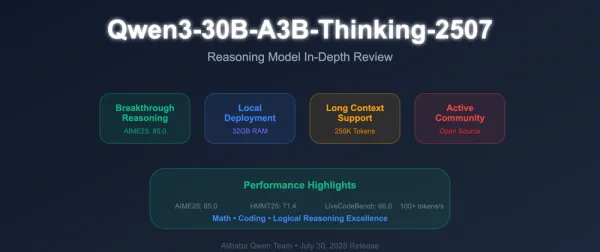
Master Qwen3-VL-30B-A3B-Thinking deployment with our comprehensive 2025 guide. Learn installation, optimization, troubleshooting, and real-world applications for this powerful 30B parameter vision-language AI model with thinking capabilities.
Qwen2.5-Omni 3B is Alibaba Cloud’s compact, multimodal AI model optimized for local deployment on consumer-grade hardware. Unlike the 7B variant, the 3B model significantly reduces VRAM usage—by more than 50%—while maintaining robust performance across text, image, audio, and video tasks. With real-time output and simultaneous multimodal
Quick answer. To install Qwen2.5-Omni 3B on macOS, install Homebrew, Python 3.10, cmake and ffmpeg, create a virtual environment, then install PyTorch plus the Qwen2.5-Omni preview transformers branch and qwen-omni-utils. Apple Silicon with at least 16GB RAM is recommended; 32GB and 10GB free disk are ideal for
Compare Gemma 3 vs Qwen 3 open source LLMs for 2026: performance benchmarks, features, implementation, use cases, and discover which AI model is best for your business and technical needs.
Quick answer. The easiest path is Ollama: install it, then run ollama run qwen3:8b for a 5.2 GB download that works on any Apple Silicon Mac with 16 GB RAM. For maximum speed on M1-M5 chips, switch to mlx-lm with an MLX-quantized build; pick llama.cpp with Q4_
To set up the Qwen2.5-1M model locally on Ubuntu/Linux, follow this comprehensive step-by-step guide. This guide will cover system requirements, installation of dependencies, launching the model, and troubleshooting common issues. Want the full picture? Read our continuously-updated Self-Hosting LLMs Complete Guide (2026) — hardware, ollama and vllm, cost-per-token, and
Quick answer. Running Qwen2.5-1M on Windows at full 1M-token context needs heavy VRAM: 7B needs ~120 GB and 14B needs ~320 GB. At a 32k context, Q4_K_M quantization brings 7B down to ~12 GB and 14B to ~24 GB — consumer-GPU territory. Ollama on Windows is the simplest
How to Set Up the Qwen2.5-1M Model Locally on Your Mac Artificial intelligence (AI) models have revolutionized technology in recent years, enabling applications that were once thought to be science fiction. Among these, the Qwen2.5-1M model stands out for its impressive capabilities in natural language processing (NLP) tasks.