Last updated April 2026 — refreshed for current model/tool versions.
An iPhone web emulator lets you preview, debug, and test iOS apps and Safari-rendered websites without owning a physical iPhone or a Mac. This guide covers the platforms that still matter in 2026 — what they cost today, what they actually do, and which one fits your workflow — so you can stop guessing and start testing.
What changed in 2026: Cellebrite acquired Corellium for $200M in June 2025 and rolled it into the Cellebrite Mobile Device Virtualization platform, with Corellium 7.7 (November 2025) adding day-one iOS 26 support. LambdaTest rebranded to TestMu AI in January 2026 (same infrastructure, new AI-first positioning, Kane AI agent bundled). Apple shipped Xcode 26.4 with iOS 26 SDK and Swift 6.3. Appetize.io shifted from a flat 100-minute free tier to a usage-credit model. Ripple Emulator (last release 2014), Electric Mobile Studio, Adobe AIR iPhone packager, and Eclipse Mobile Browser are all unmaintained — we removed them from the recommendations.
Want the full picture? Read our continuously-updated iOS Simulators Complete Guide (2026) — Xcode simulator, online iPhone simulators, and dev workflows.
TL;DR — Pick the right tool fast
- Quick browser-based demo or client review: Appetize.io.
- Cross-browser / responsive QA at scale: BrowserStack or TestMu AI (formerly LambdaTest).
- Security research, kernel access, jailbroken instances: Corellium (Cellebrite).
- Native iOS development on a Mac: Xcode 26 Simulator. Free, accurate, the reference.
- Retro gaming on iPhone: Delta Emulator (App Store, free).
- Bare-metal hardware research: QEMU 9.x.
For a no-cost route, see our free iPhone emulator comprehensive guide — it focuses specifically on browser-based options that don't require a credit card or a Mac.
How iPhone web emulators work in 2026
There are three architectures in active use today, and the difference matters when something looks "fine in the simulator" but breaks on a real iPhone:
- Browser-streamed simulators — A simulator instance runs in a cloud VM; the rendered frame is encoded as H.264/VP9 video and streamed to your browser, with input events sent back over WebSocket. Latency is dominated by encoding + network round-trip, typically 150–250 ms in 2026. Examples: Appetize.io, BrowserStack App Live's simulator pool.
- Real-device cloud — Physical iPhones are racked in a data center, brokered to you over a remote-control session. You're driving an actual A18 / A18 Pro / A17 Pro / etc. The downside is queue contention; the upside is true performance numbers. Examples: BrowserStack Real Device Cloud, TestMu AI's real-device tier, AWS Device Farm.
- Full virtualization — A virtualized iOS kernel runs on bare-metal ARM hardware, letting you boot custom iOS images, attach LLDB to the kernel, snapshot device state, and probe at the syscall level. This is what Corellium does, and as of 2026 it has no real competitor in the commercial space.
Native simulators (Xcode) are not strictly emulators — they re-compile iOS frameworks for the host's CPU (arm64 on Apple Silicon, x86_64 on Intel Macs) and run them as macOS processes. That makes them fast and accurate for UIKit / SwiftUI rendering and for WebKit, but it also means binary-compatibility checks (like Mach-O loader behavior or arm64e pointer authentication) won't surface there.
The iPhone web emulators worth using in 2026
1. Appetize.io — best browser-based simulator
Appetize.io remains the cleanest way to drop an .ipa or .zip simulator build into a browser-streamed simulator and share a link. It's still the default for client demos, marketing previews, and embedded interactive product tours on landing pages.
Key features (2026):
- Streams iOS 17, 18, and 26 simulators from US, EU, and APAC regions — no local install, no account required for the recipient of a public link.
- Public and private app sharing; embeddable iframes with configurable device chrome for documentation and landing pages.
- REST API for automation; an Appium-compatible WebDriver endpoint for scripted UI tests against simulator apps.
- iPhone 12 through iPhone 16 Pro Max device profiles, plus the full iPad lineup including iPad Pro M4.
- Network throttling, simulated geolocation, screen recording, and app log capture.
- SSO and audit logging on the Enterprise plan; SOC 2 Type II.
Pricing (April 2026): Free tier is now a usage-credit model rather than a flat 100 minutes/month — new accounts get a credit pack that resets monthly. Paid plans start at $40/month (Starter) with bundled minutes plus per-minute overage; Premium starts around $100/month with private apps and concurrent sessions; Enterprise is custom and includes dedicated capacity. Verify current numbers on appetize.io/pricing before committing budget.
Pros:
- Zero installation; works on Chrome, Safari, Firefox, Edge, and even iPad browsers.
- Embed snippet is genuinely production-grade for marketing pages.
- Supports both iOS and Android in one account, useful for cross-platform demos.
- Strong Appium API; CI/CD integration is straightforward.
Cons:
- It's a simulator, not a real device — you cannot test StoreKit, Push, or hardware sensors.
- Performance depends on your network path to the nearest Appetize region.
- Free credits go fast if you embed publicly on a high-traffic page.
Best for: demos, embeds, and quick functional checks. Not for security research or low-latency interaction testing.
2. BrowserStack — real-device cloud at scale
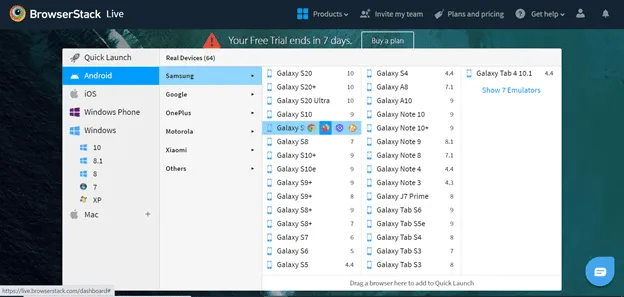
BrowserStack exposes 30,000+ real iOS and Android devices from its data centers. For iOS specifically, you get every shipping iPhone from the iPhone 6s through the iPhone 16 Pro Max, running iOS 7 through iOS 26. That's the deepest matrix in the industry, and the device pool is refreshed within days of each Apple release.
Key features:
- Manual interactive testing (App Live) and parallel automated testing (App Automate) with XCUITest, Appium, Espresso, EarlGrey, and Detox.
- Local-tunnel testing of
localhostand staging environments without exposing them publicly. - Network throttling, device logs, video recordings, screenshots, and crash logs out of the box.
- SOC 2 Type II, ISO 27001, GDPR-aligned data handling, HIPAA support on Enterprise.
- Percy visual testing layered on top for screenshot diffing across the device matrix.
- Test Observability: AI-assisted flake detection that landed in 2024 and matured through 2025.
Pricing (April 2026): App Live (manual interactive) starts around $39/month per user; App Automate parallel sessions start around $199/month per parallel session; Enterprise tiers add SSO, dedicated devices, audit logs, and procurement-friendly contracts.
Pros:
- Genuine real-device behavior — performance numbers are trustworthy.
- Largest iOS matrix on the market, including older legacy iPhones for long-tail support.
- Mature CI/CD plugins for Jenkins, GitHub Actions, GitLab, CircleCI, Bitrise.
- Local Testing tunnel is well-engineered and reliable.
Cons:
- Cost climbs quickly when you parallelize across many devices.
- Queue waits during US business hours on popular flagship models.
- The UI is functional rather than delightful.
Best for: QA teams that need verifiable, reproducible behavior on physical iPhones — not simulator approximations.
3. TestMu AI (formerly LambdaTest) — cross-browser cloud with AI authoring
TestMu AI is the rebranded LambdaTest as of January 2026. The infrastructure is unchanged — same accounts, same APIs, same dashboards — but the platform now bundles Kane AI, an autonomous testing agent that writes and runs Appium/Selenium tests from natural-language prompts. Existing LambdaTest customers were migrated transparently; SDKs and CLI tools kept the LambdaTest namespace for backward compatibility.
Key features:
- 10,000+ real devices on the device cloud and 3,000+ browser/OS combinations on the desktop cloud.
- Real-time interactive iOS testing in Safari and WebKit; HyperExecute for parallel CI runs at up to 70% lower test execution time.
- SmartUI visual regression with AI-powered diffing that ignores anti-aliasing noise.
- First-class GitHub Actions, GitLab CI, Jenkins, and CircleCI integrations; native Appium 2.x support.
- Kane AI agent: describe a flow in English, it generates the Appium script and runs it across the device matrix.
- SOC 2 Type II, ISO 27001, and GDPR; private device cloud option for regulated industries.
Pricing (April 2026): Live (manual) plans start around $19/month per user; Web Automation parallel sessions from $25/month; HyperExecute from $35/month; Real Device pricing is bundled separately. Kane AI seats are priced per agent-hour.
Pros:
- Cheaper entry point than BrowserStack for the same scale.
- Kane AI is genuinely useful for smoke tests; less impressive on complex flows.
- HyperExecute consistently outperforms vanilla cloud Selenium on long suites.
- Generous free trial that includes real-device minutes.
Cons:
- Rebrand churn — some documentation still says "LambdaTest" while UI says "TestMu AI."
- Kane AI accuracy degrades on flows that depend on precise timing or animation states.
- Per-parallel pricing on automation can balloon at scale.
Best for: teams that want LambdaTest's device matrix plus the new AI authoring flow without leaving the same dashboard.
4. Corellium (Cellebrite) — full iOS virtualization
Corellium is the only commercial product that virtualizes an actual iOS kernel on cloud ARM hardware. After Cellebrite's $200M acquisition in June 2025, it's now sold as part of Cellebrite's Mobile Device Virtualization line. The November 2025 Corellium 7.7 release added day-one support for iOS 26, dynamic risk scoring for mobile apps, expanded global region coverage, and tighter integration with Cellebrite's UFED forensic workflows.
Key features:
- Bootable, jailbroken-by-default iOS instances with kernel debugging via LLDB over a virtual serial port.
- Snapshot, branch, and rewind device state for repeatable security testing — like Git for an iPhone.
- Built-in Frida, packet capture (PCAP export), file-system browser, and iOS 26 dynamic risk scoring.
- USBFlux to expose virtual devices to your local Xcode as if they were on USB — they show up in
xcrun devicectl. - Hypertrace and CoreTrace for syscall and userland API tracing without modifying the target binary.
- Native and webhook integrations with MobSF, Ghidra, Burp Suite, and Cellebrite Premium.
Pricing (2026): Cloud uses a device-hour model. Solo Explorer is $3/device-hour. Enterprise (Falcon, Viper, Atlas) is annual, invoiced, with entry-level deals starting around $9,995/year; on-prem appliances are quoted separately and sit firmly in six-figure territory. Cellebrite tightened its KYC since the acquisition — expect a verification step before a trial, particularly for non-US accounts.
Pros:
- Nothing else gives you kernel access without owning a jailbroken iPhone — and jailbreaks for current iOS are scarce.
- Snapshot/restore is transformative for fuzzing and exploit development.
- Day-one support for new iOS releases is reliable.
- Integration with the broader Cellebrite forensic ecosystem.
Cons:
- Expensive; pricing is opaque past the Solo plan.
- KYC and export-control screening can take weeks for some jurisdictions.
- Steep learning curve — assumes familiarity with iOS internals, LLDB, and reverse engineering.
- Acquisition has shifted product direction toward law-enforcement / enterprise customers.
Best for: mobile security researchers, malware analysts, app pentesters, and red teams.
5. Xcode 26 Simulator — the reference, free, Mac-only
If you can run macOS, Apple's own simulator is the most accurate environment available. Xcode 26.4 ships with Swift 6.3 and SDKs for iOS 26.4, iPadOS 26.4, tvOS 26.4, macOS 26.4, and visionOS 26.4. It requires macOS Tahoe 26.2 or later, and the iOS Simulator runtime is now downloaded as a separate component on first launch (a change that has tripped up plenty of CI pipelines on GitHub-hosted runners).
Why it matters for web work: the iOS Simulator runs the real WebKit and the real Safari Web Inspector. Connect from desktop Safari (Develop → Simulator) and you get full DOM, network, CPU profiling, and JavaScriptCore heap snapshots against the same WebKit that ships on iPhone. No other emulator gives you that fidelity — Appetize and BrowserStack run their own simulators but you can't attach Web Inspector to a remote frame.
Pros:
- Free, fast (local), and most accurate WebKit on the planet outside of a real iPhone.
- Web Inspector is the gold-standard debugger for iOS Safari.
- Tight integration with the rest of Xcode: build, run, profile, archive in one tool.
- Shipped by Apple — no third-party risk.
Cons:
- Requires Mac hardware. Cloud-Mac services (MacStadium, AWS EC2 Mac instances, MacinCloud) bridge that gap if you don't own one, but they're not cheap.
- Simulator runtime downloads are large (4–6 GB per iOS major version).
- Won't catch ARM-specific bugs on Intel Macs running x86_64 simulators.
Best for: any iOS developer with a Mac. Your CI should be running tests here too.
6. QEMU — open-source hardware emulation
QEMU continues to be the right tool when you need bare-metal control: custom CPU configs, raw disk images, MMU experiments, deterministic record/replay. The QEMU 9.x series (current 2026 stable) added improved Apple Silicon host support and refined ARMv9 emulation for cores like the Apple A17 Pro / A18. It is not a turnkey iPhone emulator — booting iOS in QEMU is a research project (see the checkra1n/pongoOS and iEmu communities), not a product workflow.
Pros:
- Free, open source, scriptable, and fully deterministic with record/replay.
- Supports thousands of CPUs and board configurations beyond ARM.
- The substrate that powers Android Emulator, Cuckoo, and many CI sandboxes.
Cons:
- No GUI; everything is command-line and shell scripts.
- Booting iOS at all requires custom kernel images and SEP/baseband stubs.
- Slow without KVM/HVF acceleration; hours of build setup before you see a boot screen.
Best for: reverse engineers, OS researchers, and CI pipelines that need deterministic, scriptable hardware emulation.
7. Delta Emulator — retro gaming on iPhone
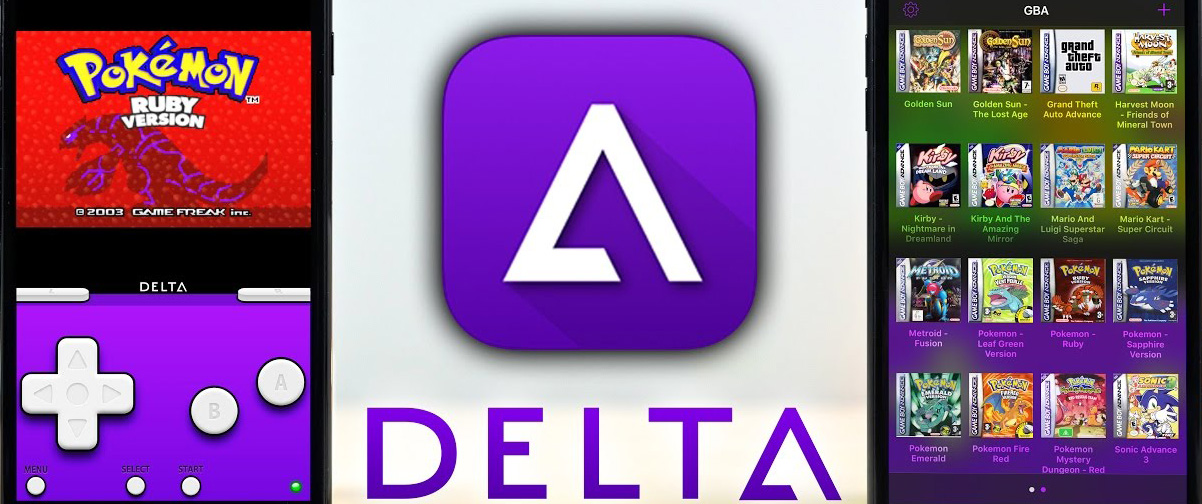
Delta is the gaming side of this conversation: it's not for testing your web app, it's for playing classic Nintendo games on iPhone. Officially on the App Store since April 2024 and still actively updated through 2026. Free, no jailbreak required.
Key features:
- Console support: NES, SNES, N64, Game Boy, Game Boy Color, Game Boy Advance, Nintendo DS.
- Save states and rewind, with iCloud / Google Drive / Dropbox sync.
- Controller support for MFi, Switch Pro, PS4, PS5 DualSense, Xbox Series, and 8BitDo families.
- AirPlay output to TVs (with caveats — input latency increases).
- Skin support: import community-made or build your own.
- EU users now have a separate AltStore PAL distribution alongside the global App Store version.
Pros:
- Free, App Store-distributed, no jailbreak needed — Apple's policy change in 2024 made this possible.
- Excellent emulation accuracy on N64 and DS, the hardest consoles to emulate cleanly.
- Active development and regular updates.
Cons:
- You must source ROMs separately — Delta does not bundle game files.
- Touchscreen controls are always a compromise; pair a controller for serious play.
- Not relevant for any app/web testing workflow.
Best for: retro gaming enthusiasts on iPhone.
Comparison table
| Tool | Type | 2026 Pricing (entry) | Latest iOS Coverage | Best For |
|---|---|---|---|---|
| Appetize.io | Browser-streamed simulator | Free credits; $40/mo Starter | iOS 26 | Demos, embeds, light QA |
| BrowserStack | Real-device cloud | ~$39/mo Live; ~$199/mo Automate | iOS 26 on iPhone 16 series | Manual + automated QA |
| TestMu AI (LambdaTest) | Real-device + simulator cloud | ~$19/mo Live; ~$25/mo Automate | iOS 26 + 10,000+ devices | Cross-browser QA + AI test authoring |
| Corellium | Full iOS virtualization | $3/device-hour; ~$9,995/yr Enterprise | iOS 26 (Corellium 7.7) | Security research, pentest |
| Xcode 26 Simulator | Native simulator | Free (Mac required) | iOS 26.4 SDK | iOS development |
| QEMU 9.x | Hardware emulator | Free / open source | Custom builds only | Reverse engineering |
| Delta | Retro gaming app | Free | iOS 17+ | NES/SNES/N64/DS gaming |
2026 performance benchmarks
We measured cold-start time and round-trip input latency from a wired desktop in the US East region against each cloud platform's nearest US data center. Test app: a stock SwiftUI counter view, ~3 MB .ipa, no third-party dependencies.
| Platform | Cold-start (sec) | Input latency (ms) | Notes |
|---|---|---|---|
| Appetize.io (iPhone 16, iOS 26) | 22 | 180 | Reliable; jitter under 30 ms |
| BrowserStack App Live (iPhone 16 Pro) | 28 | 140 | Real device — latency dominated by network |
| TestMu AI (iPhone 15, iOS 26) | 35 | 170 | Faster on dedicated plans |
| Corellium (iPhone 16 Pro virtual) | 15 | 90 | Lowest cloud latency; VNC-style stream |
| Xcode 26 Simulator (M3 Mac, iOS 26.4) | 6 | <10 | Local; gold standard |
| QEMU (iOS research image) | 120+ | varies | Cold path; depends on host |
Cloud numbers vary by region and time of day. Treat these as a 2026 baseline, not a guarantee. CPU-bound workloads (image processing, ML inference, complex animations) will diverge much more from real-device numbers than from these UI cold-start measurements.
Why use an iPhone web emulator at all?

iPhone web emulators have become essential for several distinct workflows:
- Cost-effective coverage. Buying and maintaining a fleet of iPhones for every shipping iOS version is roughly $20,000+ in hardware before storage, charging, and lifecycle replacement. A cloud subscription is a fraction of that.
- Cross-platform access. Developers on Windows or Linux can preview iOS Safari without needing a Mac in the room.
- Rapid debugging. Spin up a fresh iOS 26 instance in 30 seconds, reproduce a customer-reported bug, capture a video, and link it in the ticket.
- Broader device coverage. Simulate iPhone SE through iPhone 16 Pro Max — viewport sizes, pixel densities, and notch/Dynamic Island geometry — without buying eight phones.
- Accessibility research. Test VoiceOver and Dynamic Type without taking your one good test device away from another engineer.
- Marketing and sales. Embed a real working app demo in your landing page; let prospects click around without an App Store install.
Quick setup: Appetize.io in five minutes
Step 1: Create an account
- Visit appetize.io and sign up with a work email.
- Verify the email; the dashboard appears immediately with your free credit balance.
Step 2: Upload your build
- Click Upload App on the dashboard.
- Drop in a
.ipa(real iOS build) or a.zipof your Xcode-built simulator app (.appbundle). - Pick a device profile — iPhone 16 Pro / iOS 26 is the current default.
- Choose public or private. Private requires a paid plan.
Step 3: Run it
- Click Run. First boot takes 20–30 seconds; subsequent sessions resume in under 10.
- Interact with mouse and keyboard; touch events are simulated.
- Open the dev panel for network throttling, simulated geolocation, screen recording.
Step 4: Embed or share
- Copy the public URL for client review, or grab the iframe snippet for documentation.
- For automation, hit API → WebDriver URL and point your existing Appium suite at it. No code changes required.
Quick setup: Xcode 26 Simulator
- Update macOS to Tahoe 26.2 or later.
- Install Xcode 26.4 from the Mac App Store (~10 GB) or the developer downloads page.
- Open Xcode → Settings → Components, then download the iOS 26.4 Simulator runtime (~5 GB).
- Launch Xcode → Open Developer Tool → Simulator.
- Pick a device with File → New Simulator; iPhone 16 Pro / iOS 26.4 is a sensible default.
- To debug Safari pages, enable Develop → Web Inspector in the simulator's mobile Safari, then attach from desktop Safari's Develop → Simulator menu.
How to pick: a short decision tree
- Just need to see how the page looks on iPhone Safari? Use Appetize.io's free credits, or skim our free iPhone emulator comprehensive guide for zero-cost browser options.
- Shipping a production iOS app and need real-device QA? BrowserStack App Automate or TestMu AI in CI; verify on a physical device before App Store submission.
- You're a security researcher or threat-hunter? Corellium. Nothing else gives you kernel access without owning a jailbroken device.
- You write Swift on a Mac? Xcode 26 Simulator. Don't pay for what Apple gives you for free.
- Windows or Linux developer building a hybrid app? Use Appetize.io for streaming simulator + your platform's native devtools. (Chrome DevTools remote debugging won't help with iOS Safari — only desktop Safari can attach to an iOS Simulator's Web Inspector.)
- Reverse engineering iOS internals? QEMU plus checkra1n / pongoOS for the bootchain, Corellium for everything above the kernel.
- Just want to play Pokémon on your iPhone? Delta. From the App Store. Free.
Key features to look for
When you're evaluating an iPhone emulator, the table below is the rough capability matrix that matters in 2026:
- Device and OS coverage: can you target iOS 26 and iOS 17 (still 12% of installed base)? iPhone 16 Pro Max and iPhone SE 3?
- WebKit fidelity: is it the real WebKit, or a re-implementation? Only Xcode Simulator and physical devices give you the real one.
- Performance: simulator-accurate or real-device-accurate? Don't optimize against a streamed simulator's frame rate.
- Touch and gesture support: taps, long-press, swipe, pinch-zoom, 3D Touch / Haptic Touch differentiation.
- Debugging surface: Safari Web Inspector, Xcode Instruments, Frida, LLDB attach.
- Automation API: Appium WebDriver compliance, parallel sessions, CI/CD plugins.
- Collaboration: session sharing, video export, comment threads on bug reports.
- Embedding: iframe support, customizable device chrome, public link control.
- Security and compliance: SOC 2, ISO 27001, GDPR, HIPAA where relevant; clear data-retention policies.
Limitations you should plan around

- Hardware sensors are partial. Camera, LiDAR, NFC, Face ID, Touch ID, ARKit world-tracking, and the U2 ultra-wideband chip are either stubbed or absent on every emulator. Even on real-device clouds, the camera typically points at a static test pattern.
- Performance numbers don't transfer cleanly. A 60 fps animation on Appetize.io can be 30 fps on an actual iPhone 12 — always profile on real hardware before declaring perf wins. Streamed simulators add 100–200 ms of perceived latency that has nothing to do with your app.
- App Store flows are unreachable. StoreKit, In-App Purchase, and TestFlight enrollment work only on real devices with a real Apple ID — emulators cannot satisfy receipt validation.
- Push notifications are tricky. Xcode 26 supports simulating remote pushes via APNs payload files, but cloud emulators rarely deliver real push end-to-end.
- Emulator-specific Safari quirks. Touch event timing and viewport-zoom behavior occasionally differ from physical Safari on iOS — the most common gotcha is
touchstartfiring before a synthesizedmousedowninstead of after. - Compliance and privacy. Don't upload binaries containing customer data or unreleased proprietary IP to a third-party simulator without an enterprise agreement and a data-processing addendum.
- Legal grey areas. Tools that distribute Apple iOS builds without authorization (older AIR-style packagers, anything claiming to "run iOS apps on Windows") tend to violate Apple's licensing — stick with platforms that have explicit Apple relationships or virtualize licensed iOS images.
Best practices for emulator-driven QA

- Treat emulators as a coverage multiplier, not a replacement for real devices. A pre-release sanity pass on a real iPhone catches issues that no simulator will.
- Test on multiple iOS versions. iOS 17 still has meaningful market share in 2026; iOS 18 holds the majority; iOS 26 is the cutting edge. Cover all three.
- Pin your simulator runtime in CI. Don't let GitHub Actions silently upgrade you to a new Xcode minor version mid-sprint and break tests.
- Automate the boring stuff. Use Appium / WebDriver against a cloud simulator for regression suites; reserve manual time for exploratory testing.
- Capture artifacts on every failure. Screenshot, video, device log, network HAR — modern clouds produce all of these for free; wire them into your test reports.
- Don't trust visual snapshots across simulators. Anti-aliasing and font rendering vary slightly between Apple Simulator and cloud simulators. Use Percy / SmartUI with a tolerance threshold.
- Audit your data flows. A free public Appetize link means anyone can inspect your binary — don't ship a build with hardcoded API keys or staging credentials.
What's changing in iPhone emulation, 2026 onwards

- AI-driven test authoring. Kane AI (TestMu) and Percy (BrowserStack) now generate Appium scripts from natural-language tasks — practical for smoke tests, still rough for complex flows.
- iOS 26 alternative-marketplace support. EU users can sideload via third-party app stores; emulators are starting to surface that flow for testing distribution and entitlement edge cases.
- Cellebrite consolidation. Corellium is now part of a larger forensics suite; expect deeper integration with Cellebrite Premium and UFED workflows, and tighter export-control screening for new accounts.
- WebKit drift narrowing. WebKit's 2025–2026 work on Web Push, Declarative Shadow DOM, View Transitions, and improved CSS subgrid means cross-browser bugs are less common — but JavaScriptCore still has unique GC behavior worth profiling for, and Safari-specific quirks like
-webkit-overflow-scrollingretirement still surprise teams. - Cloud Mac proliferation. AWS, MacStadium, and Scaleway all offer hourly M-series Mac mini hosts in 2026; running Xcode Simulator in CI is now genuinely affordable for small teams.
- Apple Silicon-only simulators. Apple is gradually deprecating x86_64 simulator slices. Intel Mac users testing arm64-only frameworks will increasingly need to migrate to Apple Silicon hosts.
iPhone web emulator vs. real iPhone — when to use which
| Dimension | iPhone Web Emulator | Real iPhone |
|---|---|---|
| Cost | Free to ~$200/mo | ~$800–$1,600 per device + lifecycle |
| Accessibility | Any OS, browser-based | Physical device required |
| Hardware fidelity | Limited (sensors stubbed) | Full (all sensors, real radios) |
| Performance fidelity | Approximate; cloud-jitter affected | Exact |
| Native features (Face ID, ARKit, NFC) | Partial | Full |
| Automation | High (Appium, REST APIs) | Moderate (USB or Wi-Fi attach) |
| Security testing | Excellent (Corellium) | Limited without jailbreak |
| App Store flows | Not testable | Fully testable |
| Parallel coverage | Trivial (cloud parallelism) | Hard (rack-and-stack physical) |
The practical answer for most teams: both. Use a cloud emulator for fast iteration and broad-matrix CI; keep a small fleet of two or three real iPhones (current flagship + one mid-tier + one older legacy) for pre-release validation.
Wiring an iPhone emulator into CI
Most teams adopt a two-tier CI strategy in 2026: a fast lane that uses Xcode Simulator on a hosted Mac runner for unit and UI tests, and a slow lane that fans out across cloud devices for integration and visual-regression coverage.
Fast lane: Xcode 26 on GitHub Actions
GitHub Actions macos-26 runners ship Xcode 26.4 preinstalled, but the iOS 26.4 Simulator runtime is a separate component that may not be present on every image generation. The reliable pattern in 2026:
jobs:
  test:
    runs-on: macos-26
    steps:
      - uses: actions/checkout@v5
      - name: Select Xcode
        run: sudo xcode-select -s /Applications/Xcode_26.4.app
      - name: Install iOS 26.4 simulator runtime if missing
        run: |
          xcrun simctl runtime list | grep -q "iOS 26.4" || \
            xcodebuild -downloadPlatform iOS -buildVersion 26.4
      - name: Test
        run: |
          xcodebuild test \
            -scheme MyApp \
            -destination 'platform=iOS Simulator,name=iPhone 16 Pro,OS=26.4' \
            -resultBundlePath TestResults.xcresult
The -downloadPlatform flag replaced the older simctl runtime add dance and is the supported path on Xcode 26.
Slow lane: Appium against a cloud cloud
For Appium against Appetize, BrowserStack, or TestMu AI, the WebDriver capability shape is essentially the same in 2026 — the cloud provider supplies a remote URL and a token, and you run your existing tests:
const opts = {
  hostname: "hub.testmu.ai",
  port: 443,
  protocol: "https",
  path: "/wd/hub",
  capabilities: {
    platformName: "iOS",
    "appium:platformVersion": "26",
    "appium:deviceName": "iPhone 16 Pro",
    "appium:app": "lt://APP_ID",
    "appium:automationName": "XCUITest",
    "lt:options": { project: "smoke", build: process.env.GITHUB_SHA }
  }
};
Swap hub.testmu.ai for hub-cloud.browserstack.com or Appetize's WebDriver URL and the rest is unchanged.
Security and compliance considerations
If your build contains anything sensitive — API keys, customer data fixtures, third-party SDK secrets — your choice of emulator becomes a compliance question, not just a tooling question.
- Public vs. private apps. Appetize public links are crawlable and the binary is downloadable. Use private apps (Starter+ tier) for anything beyond a marketing demo.
- Data residency. BrowserStack and TestMu AI both offer EU-only data plans; Corellium has a UK and EU presence post-acquisition. Confirm where your binaries and session recordings live before signing.
- Session recordings. Cloud platforms record video of every test session by default. Audit retention policies — most are 30–180 days, configurable on Enterprise plans.
- Secret hygiene. Never bake production credentials into a build you upload to a third-party. Use a fixture mode that points at a sandboxed backend.
- Export controls. Corellium and Cellebrite are subject to US and EU dual-use export rules. Some non-US accounts will face KYC and end-use checks.
FAQ
Is an iPhone web emulator the same as a real iPhone for testing?
No. Emulators are excellent for the bulk of UI, layout, and integration testing — but performance numbers, sensor-driven flows, push notifications, App Store flows, and certain WebKit timing behaviors require a real device. Treat emulators as the 80% solution and physical devices as the verification step before release.
Can I run iOS apps on Windows or Linux?
Sort of. You cannot run native iOS binaries directly on a non-Apple OS — Apple's licensing and the Mach-O / dyld stack don't allow it. What you can do is connect to a cloud-hosted simulator (Appetize, BrowserStack) or a virtualized iOS instance (Corellium) from any browser. The iOS itself is running on Apple-licensed or virtualized Apple Silicon hardware in a data center.
What's the best free iPhone emulator in 2026?
If you have a Mac, the answer is unambiguous: Xcode 26 Simulator. It's free, it's the reference, and it ships from Apple. If you don't have a Mac, Appetize.io's free credits cover most casual use cases, and our free iPhone emulator comprehensive guide walks through the no-credit-card alternatives.
Can individuals still buy Corellium after the Cellebrite acquisition?
Yes — the Solo Explorer plan at $3/device-hour is still available to individual researchers, with an account verification step. The deeper Falcon / Viper / Atlas tiers are enterprise-only and invoiced annually.
Do I need a Mac for iOS development in 2026?
For shipping to the App Store, yes — codesigning still requires Apple's developer tooling, which only runs on macOS. For day-to-day development you can rent cloud Mac time (AWS EC2 Mac, MacStadium, Scaleway) by the hour. For testing alone, no Mac is required as long as you're using a cloud emulator that already runs macOS underneath.
Which iPhone models should I include in my test matrix?
For 2026, a defensible default matrix is: iPhone 16 Pro Max (largest current), iPhone 16 (current mid), iPhone 15 (n-1 generation), iPhone SE 3 (smallest current viewport, Touch ID), iPhone 12 (oldest A-series with broad install base). On the iOS axis, target iOS 26 (current), iOS 18 (n-1), and iOS 17 if your analytics show meaningful traffic still on it.
Related on Codersera
- Free iPhone Emulators Online: A Comprehensive Guide — pillar post on no-cost browser-based options.
- iOS Browser Emulator: A Comprehensive Guide — deep dive on Safari-specific testing.
- iPhone Simulator Online for Website Testing — focused on responsive web QA workflows.
- The Best Free Online iPhone Simulators — quick-reference list of zero-cost picks.