DevOps has evolved from a buzzword to an essential practice for organizations delivering software at scale. In 2026, with predictions showing 75% of large enterprises adopting hybrid or multi-cloud strategies, choosing the right DevOps tools has become critical.
This comprehensive guide walks you through the complete DevOps lifecycle, examining over 50 tools across nine distinct stages—from planning to monitoring and feedback.
Whether you're building a startup MVP or managing enterprise infrastructure, you'll discover practical insights, real pricing data, user reviews, and honest assessments of each tool's strengths and limitations.
The 9 Stages of DevOps Lifecycle
| Stage | What Happens | Real Example |
|---|---|---|
| 1. Plan | Define what to build | Your team decides: "Let's add user authentication" |
| 2. Code | Write the code | Developers write code and push to Git |
| 3. Build | Compile into runnable package | Jenkins converts code into a Docker image |
| 4. Test | Verify it works | Automated tests check if authentication actually works |
| 5. Release | Package for production | Store the Docker image in a registry |
| 6. Deploy | Move to production servers | Send that image to live servers |
| 7. Operate | Keep it running | Kubernetes manages the containers across servers |
| 8. Monitor | Watch performance | Prometheus checks if servers are healthy |
| 9. Feedback | Learn from real users | Logging shows what users are actually doing |
Most of this happens automatically now. You push code to Git → it triggers a test pipeline → if tests pass, it deploys automatically. This cycle repeats dozens of times per day.
Each stage requires specialized tools, and modern DevOps teams often use a carefully orchestrated combination of tools across these stages.
Stage 1: Planning & Version Control Tools
Planning tools help teams define requirements, manage tasks, and track work. Version control tools manage source code changes, enabling collaboration and maintaining code history. These are the foundation of any DevOps operation.
1. Git (Version Control)
What It Does: Git is a distributed version control system that lets multiple developers work on the same codebase without stepping on each other's toes. Every developer gets a complete copy of the repository history.
Pricing: Free, open-source
Key Features:
- Distributed version control with local branching
- Lightweight and fast operations
- Robust merging capabilities
- Used by 93% of professional developers
User Feedback: Developers consistently praise Git for its speed and flexibility. However, first-time users often find the learning curve steep, particularly with advanced features like rebasing and cherry-picking.
Pros:
- Universal industry standard
- Excellent branching model for DevOps workflows
- Strong community support and documentation
- Works offline
Cons:
- Steep learning curve for beginners
- Can be confusing with complex history
- Doesn't prevent large binary file commits natively
Best For: Every organization. Git is non-negotiable in modern development.
2. GitHub (Git Hosting + CI/CD)
What It Does: GitHub provides cloud-hosted Git repositories with collaboration features, issue tracking, pull request reviews, and built-in CI/CD through GitHub Actions.
Pricing: Free for public repos; $7-$21/month for private repos (2026 pricing)
Key Features:
- Repository hosting with access controls
- GitHub Actions for CI/CD
- Pull request reviews and code discussions
- Issue tracking and project boards
- GitHub Copilot for AI-assisted coding
User Feedback: Teams consistently report GitHub Actions as the fastest way to get CI/CD running if you're already on GitHub. However, platform lock-in is a recurring complaint—once your workflows are written for GitHub Actions, switching becomes painful.
Pros:
- Tightest integration with Git workflows
- GitHub Actions pricing reduced 15-39% starting January 1, 2026
- Excellent UI for collaboration
- Free for public open-source projects
- Largest community-driven package ecosystem (npm integration)
Cons:
- Locked to GitHub's ecosystem
- Limited customization compared to self-hosted solutions
- GitHub Actions YAML can become complex for advanced pipelines
Best For: Teams already using GitHub; open-source projects; small to mid-sized companies wanting rapid setup.
3. GitLab (Git Hosting + Full DevOps Platform)
What It Does: GitLab provides Git hosting with integrated CI/CD, container registry, issue tracking, and security scanning—essentially an entire DevOps platform under one roof.
Pricing: Free (community) or $228-$1,188/year for paid plans
Key Features:
- Built-in CI/CD with Auto DevOps
- Container registry
- SAST and dependency scanning
- Kubernetes integration
- Open-source Community Edition available
User Feedback: Organizations appreciate GitLab's all-in-one approach, but setup complexity increases significantly compared to GitHub. The UI feels more enterprise-oriented, which some teams find powerful and others find overwhelming.
Pros:
- Complete DevOps platform in one tool
- Strong security scanning built-in
- Better for teams wanting self-hosted solutions
- Excellent Kubernetes integration
Cons:
- Steeper setup complexity than GitHub
- Community Edition has UI delays with large projects
- Configuration can be overwhelming for beginners
Best For: Teams wanting complete platform ownership; organizations prioritizing security scanning; large enterprises.
Stage 2: Building & CI/CD Automation Tools
Building tools compile your code, run unit tests, and create deployable artifacts. CI/CD automation tools orchestrate this process every time code changes, catching bugs early and enabling rapid deployment.
1. GitHub Actions (Cloud-Native CI/CD)
What It Does: GitHub Actions automates testing and deployment workflows directly from your GitHub repository. When code is pushed, Actions runs your custom workflows—no separate infrastructure needed.
Pricing: Free tier includes 2,000 minutes/month for private repos; paid plans start at $4/month per core beyond free limits. New 2026 pricing: 15-39% reduction on hosted runner costs (Jan 1, 2026); new $0.002/minute charge for self-hosted runners starting March 1, 2026.
Key Features:
- YAML-based workflow configuration
- Auto-scaling runners with no infrastructure management
- 1000+ pre-built actions from marketplace
- Matrix builds for testing across multiple versions
- Built-in secrets management
User Feedback & Ratings:
- G2 Rating: 4.7/5 (2,400+ reviews)
- Users love the simplicity and "no ops required" nature
- Reddit consensus: Teams migrating from Jenkins report "way easier to maintain"
- Complaints center on YAML complexity for advanced pipelines
Pros:
- Fastest time-to-value for new projects
- Zero infrastructure to manage
- Excellent for open-source projects (free for public repos)
- Deep GitHub integration means tight feedback loops
- Reduced pricing makes it cost-competitive with Jenkins
Cons:
- Platform lock-in (only works with GitHub)
- YAML configuration can become unwieldy
- Less visibility across multiple repositories
- Self-hosted runner costs increasing from March 2026
Best For: Teams on GitHub wanting immediate CI/CD; open-source projects; startups shipping fast; teams without complex infrastructure requirements.
2. Jenkins (Self-Hosted CI/CD Server)
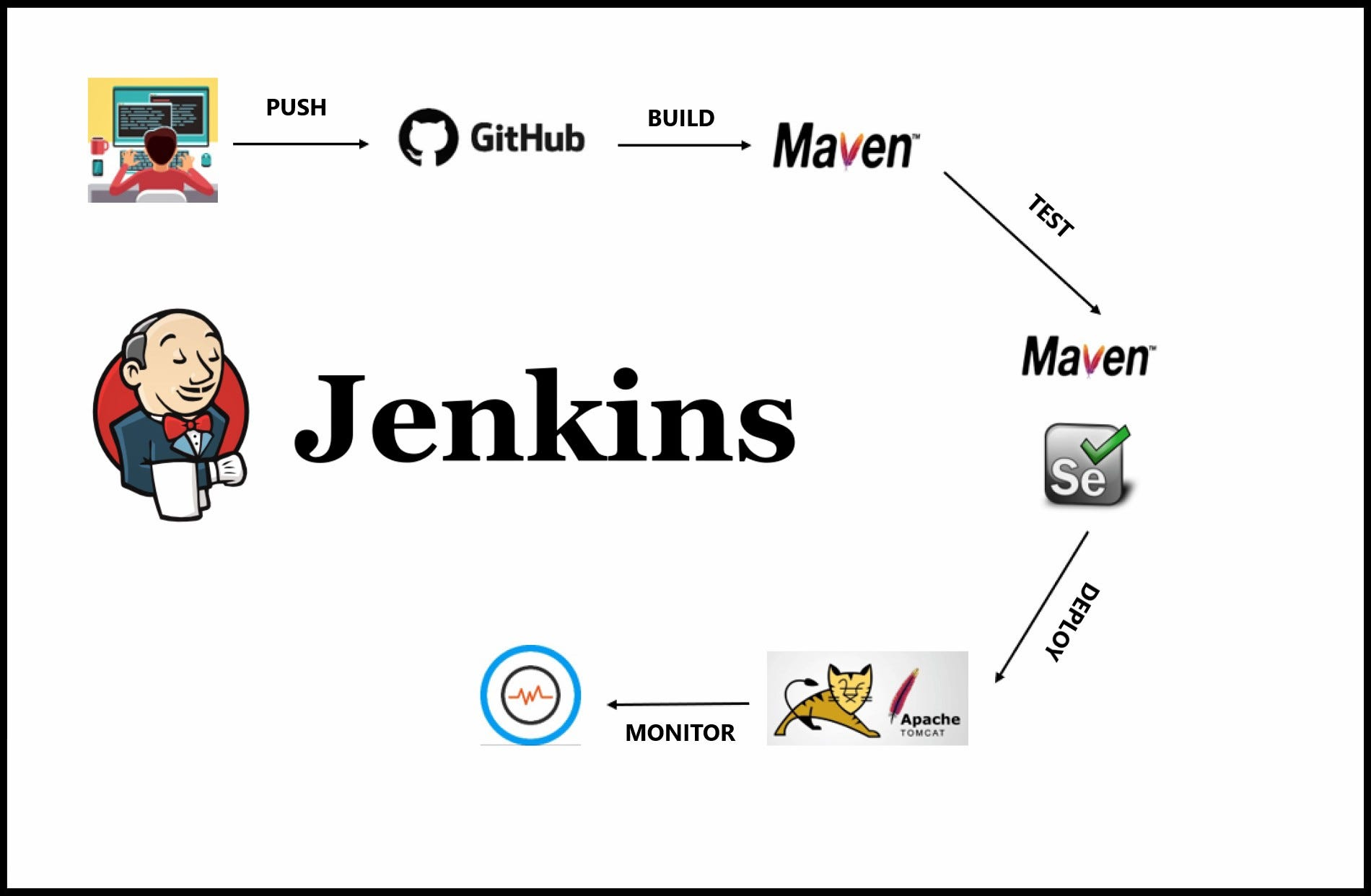
What It Does: Jenkins is a self-hosted automation server that runs wherever you deploy it—on your servers, data centers, or cloud infrastructure. It remains the gold standard for complex, highly-customized CI/CD pipelines.
Pricing: Free, open-source
Key Features:
- 1,800+ plugins for integrations
- Groovy DSL for complex pipeline logic
- Full control over execution environment
- Distributed agent architecture for scaling
- Extensive customization options
User Feedback & Ratings:
- G2 Rating: 4.5/5 (1,100+ reviews)
- Users consistently mention strong plugin ecosystem but outdated UI
- G2 Quote (Nov 2024): "Initial setup and configuration can be complex, especially for beginners... Managing plugins and upgrades can cause compatibility issues"
- Reddit consensus: Jenkins still dominates for complex, multi-repo coordination
Pros:
- Ultimate flexibility for complex workflows
- Massive plugin ecosystem solves almost any integration need
- No vendor lock-in—runs anywhere
- Excellent for multi-repo and multi-cloud pipelines
- Self-hosted means full control
Cons:
- Outdated UI feels clunky compared to modern tools
- High maintenance overhead (plugin updates break things frequently)
- Steep learning curve even for experienced DevOps engineers
- Plugin fragmentation—many plugins are unmaintained
- Groovy syntax steeper than YAML
Best For: Enterprises with complex CI/CD requirements; organizations needing multi-tool orchestration; teams with existing Jenkins infrastructure they can't afford to rewrite.
3. CircleCI (Cloud CI/CD Platform)
What It Does: CircleCI is a SaaS CI/CD platform that runs your builds in the cloud. You define workflows in YAML, and CircleCI handles the infrastructure, scaling, and execution.
Pricing: Free tier; Team tier at $67/month; Business tier at $267/month (2026 pricing)
Key Features:
- YAML configuration (familiar to GitHub Actions users)
- Orbs (reusable workflow packages)
- Matrix builds for parallel testing
- SSH debugging for failed builds
- Docker image caching
- Tight GitHub/GitLab/Bitbucket integration
User Feedback & Ratings:
- G2 Rating: 4.6/5
- Users love the balance between ease-of-use and power
- Orbs marketplace highly praised for reusability
- Some complaints about pricing opaqueness at scale
Pros:
- Easier than Jenkins, more powerful than Actions alone
- Better multi-repo visibility than GitHub Actions
- Generous free tier (2,500 credits/week)
- Faster than GitHub Actions for many use cases
- No infrastructure to manage
- Works with multiple Git platforms
Cons:
- More complex than GitHub Actions for simple projects
- Pricing can surprise you at scale
- Less community integration than Jenkins or GitHub Actions
- Not ideal if you need extreme customization
Best For: Teams needing more than GitHub Actions but not Jenkins complexity; organizations using multiple Git platforms; mid-sized teams wanting managed CI/CD.
Stage 3: Container Management & Orchestration Tools
Modern applications run in containers. Container management tools package applications with all dependencies, while orchestration tools manage those containers across clusters of machines, handling scaling, networking, and updates.
1. Docker (Container Runtime)
What It Does: Docker packages your application and all its dependencies into a standardized container image, solving the "works on my machine" problem. Containers run identically whether on a laptop, test server, or production cloud.
Pricing: Free Community Edition; paid tiers start at $7/month per seat for Desktop Pro
Key Features:
- Dockerfile for reproducible image builds
- Docker Registry for storing/sharing images
- Docker Compose for multi-container apps (development)
- Excellent documentation
- Industry standard—everyone knows Docker
User Feedback & Ratings:
- Nearly universal in professional development (93% adoption)
- Developers love the simplicity
- Some concerns about Docker Desktop licensing changes
- Reddit consensus: "Docker changed the industry"
Pros:
- Industry standard—hiring is easier when everyone knows Docker
- Excellent documentation and community support
- Simple, elegant approach to containerization
- Docker Hub provides enormous ecosystem of pre-built images
- Works identically locally and in production
Cons:
- Docker daemon has single point of failure
- Security concerns with root-running daemon
- Can use surprising amounts of disk space with images
- Licensing changes to Docker Desktop annoyed some users
- Large images can slow down CI/CD
Real Benchmark: Docker images average 200-500MB for basic applications, which can become problematic with frequent deployments in resource-constrained CI/CD environments.
Real Example:
textDocker Dockerfile (recipe):
- Start with Ubuntu Linux
- Install Python 3.10
- Copy my code
- Install dependencies
- Run my app
Result: One container image that runs identically everywhere
Best For: Every modern development team. Non-negotiable in 2026.
2. Kubernetes (Container Orchestration)
What It Does: Kubernetes automatically manages containerized applications across clusters of machines. It handles scheduling, networking, storage, updates, and recovery—essentially automating the "ops" in DevOps.
Pricing: Free, open-source (though major cloud providers charge for managed services like AWS EKS, Google GKE, Azure AKS)
Key Features:
- Automatic scaling based on load
- Rolling updates with zero downtime
- Self-healing (restarts failed containers)
- Service discovery and load balancing
- Persistent storage management
- CNCF graduated project (industry backing)
User Feedback & Ratings:
- Dominates enterprise deployments (85%+ market share for orchestration)
- Learning curve is steep but universally acknowledged as worthwhile
- Teams consistently report: "Worth the investment after month 1"
- Reddit wisdom: "Kubernetes is as complex as your infrastructure requires"
Pros:
- Industry standard for production deployments
- Handles complexity at scale automatically
- Largest ecosystem of tools and integrations
- Cloud-agnostic (works on AWS, Azure, GCP, on-premises)
- Mature ecosystem with battle-tested solutions
- Hundreds of distributions and managed services available
Cons:
- High learning curve (3-6 months to competency)
- Overkill for simple applications
- Operational overhead (unless using managed service)
- YAML configuration can be overwhelming
- Debugging distributed applications is difficult
User Rating: 85%+ market share for container orchestration
When You Need It: When you go from "a few containers on one server" to "hundreds of containers across multiple servers." Smaller teams should start simpler (Docker Compose or Docker Swarm).
Real-World Performance: Kubernetes handles thousands of nodes reliably, though larger deployments require sophisticated observability to maintain visibility.
Best For: Enterprises with complex, distributed applications; teams needing true multi-cloud; organizations handling variable loads; any company planning 100+ microservices.
3. Docker Swarm (Simple Orchestration)
What It Does: Docker Swarm is Docker's native orchestration tool. It's simpler than Kubernetes, using familiar Docker commands to manage a cluster of machines.
Pricing: Free, open-source (built into Docker)
Key Features:
- Familiar Docker CLI extended for clusters
- Native overlay networking
- Rolling updates built-in
- Load balancing across services
- Minimal learning curve for Docker users
User Feedback & Ratings:
- G2 Rating: 4.3/5
- Users praise simplicity: "Up and running in an afternoon"
- Most recommend Kubernetes for production scale
- Best feedback for teams new to orchestration
Pros:
- Easiest entry point to container orchestration
- Zero additional learning if you know Docker
- No external dependencies (built-in to Docker)
- Perfect for small teams and learning
- Lower operational overhead
Cons:
- Limited advanced features compared to Kubernetes
- Can't handle extremely large clusters
- Less robust than Kubernetes for production workloads
- Smaller ecosystem
- Limited community momentum (Kubernetes is winning)
Performance Benchmark: Docker Swarm handles clusters up to 100-200 nodes comfortably; beyond that, Kubernetes becomes necessary.
Best For: Small teams learning orchestration; simple applications; internal company systems; teams wanting minimal operational overhead.
4. Podman (Docker Alternative - Security Focused)
What It Does: Podman is a container engine that works like Docker but with a critical difference—it doesn't require a privileged daemon, making it more secure. It's fully compatible with Docker commands.
Pricing: Free, open-source
Key Features:
- Daemonless architecture (each container is independent)
- Pod support (groups of containers like Kubernetes)
- Rootless container support
- Drop-in Docker CLI replacement
- Better security isolation
User Feedback & Ratings:
- Rapidly growing adoption (2025-2026 showing acceleration)
- Security teams love the daemonless architecture
- Kubernetes developers appreciate native pod support
- Performance testing shows 5-20% faster container builds in CI
Pros:
- Security advantages of daemonless architecture
- Pod support aligns with Kubernetes workflows
- Generate Kubernetes YAML directly from pods
- Better resource isolation
- No vendor lock-in to Docker Hub
- Supports rootless containers
Cons:
- Smaller ecosystem than Docker
- Windows support limited
- Some tools still expect Docker daemon
- Team expertise likely skews toward Docker
Real Benchmark: Podman shows 5-20% faster container builds in resource-limited CI environments compared to Docker, particularly valuable for teams running hundreds of daily builds.
Best For: Security-conscious organizations; Kubernetes-first teams; CI/CD pipelines with high build volume; teams wanting to reduce attack surface.
Stage 4: Testing & Quality Assurance Tools
Testing tools verify your code works as intended before release. Automated testing catches bugs early, reduces manual testing effort, and provides confidence in deployments.
1. Selenium (Web Automation Testing)
What It Does: Selenium automates web browser interactions. It simulates user behavior—clicking buttons, filling forms, navigating pages—and verifies applications work correctly across browsers.
Pricing: Free, open-source
Key Features:
- Supports multiple programming languages (Java, Python, JavaScript, etc.)
- Cross-browser testing (Chrome, Firefox, Safari, Edge)
- WebDriver protocol (industry standard)
- Integration with CI/CD tools
- Appium extension for mobile testing
User Feedback & Ratings:
- G2 Rating: 4.4/5 (1,200+ reviews)
- Massive community (20+ year history)
- Primary complaint: flaky tests (unreliability due to timing issues)
- Reddit consensus: "Selenium works but Playwright is better for new projects"
Pros:
- Largest community with most documentation
- Works with legacy code
- Multi-language support
- True cross-browser testing capability
- Appium allows mobile testing
Cons:
- Slower execution than newer tools
- Flaky tests are legendary (timing issues)
- No built-in reporting features
- Requires external tools for assertions and reporting
- Test maintenance effort is high
User Rating: G2: 4.4/5 (but "Playwright is better for new projects")
Real-World Insight: Teams running Selenium typically spend 40% of test maintenance effort on fixing brittle, timing-dependent tests rather than adding new coverage.
Best For: Large organizations with existing Selenium investments; teams requiring multi-language support; legacy applications; cross-browser testing requirements.
2. Playwright (Modern Web Testing)
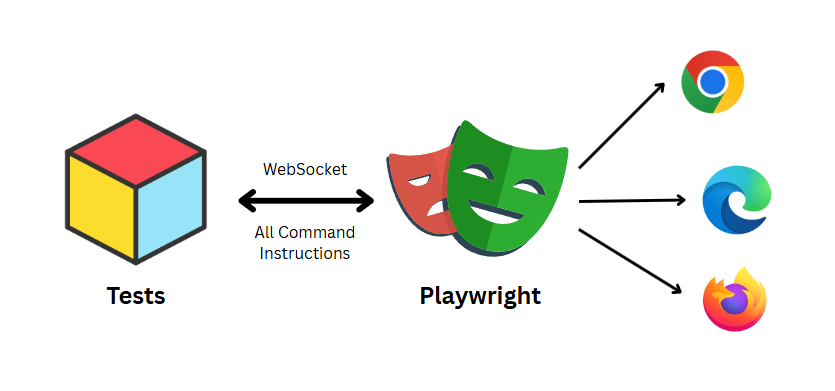
What It Does: Playwright is a modern web testing framework built by Microsoft supporting JavaScript, TypeScript, Python, Java, and C#. It's designed from scratch for modern web applications.
Pricing: Free, open-source
Key Features:
- Automatic waiting (reduces flakiness)
- Cross-browser testing (Chrome, Firefox, WebKit/Safari)
- Built-in debugging tools
- Screenshots and video recording
- Trace viewer for debugging
- Parallelization built-in
User Feedback & Ratings:
- G2 Rating: 4.7/5 (rapidly growing, 2,000+ reviews)
- Users consistently report: "So much faster than Selenium"
- Reddit thread consensus: "If starting new automation project in 2026, start with Playwright"
- Teams report 40% less maintenance effort
Pros:
- Superior developer experience with built-in debugging
- Tests run reliably (less flaky than Selenium)
- Automatic intelligent waiting eliminates timing issues
- Modern, actively maintained, growing community
- Better documentation than Selenium
- 3-5x faster test execution than Selenium
Cons:
- Smaller ecosystem than Selenium (though rapidly growing)
- Not ideal for legacy applications
- Less enterprise tooling integration than Selenium
Real-World Performance: Teams migrating from Selenium to Playwright report 40% reduction in test maintenance effort, primarily from eliminating timing-related flakiness.
Best For: New test automation projects; teams valuing reliability; organizations wanting faster test execution; modern web applications.
3. Cypress (JavaScript-First Testing)
What It Does: Cypress is a testing framework for JavaScript/TypeScript applications. It runs in-browser, offering real-time debugging and an excellent developer experience.
Pricing: Free tier (200 minutes/month); Team plan at $67/month
Key Features:
- Real-time reload during test development
- Time-travel debugging (replay test execution)
- Snapshot testing for UI changes
- Network request stubbing
- Excellent error messages
- Video recording of failures
User Feedback & Ratings:
- G2 Rating: 4.6/5 (1,100+ reviews)
- Developers love the debugging experience
- Primary complaint: doesn't work well for non-JavaScript applications
- Teams report 50% faster test development
Pros:
- Exceptional developer experience
- Fastest test development cycle
- In-browser execution means no flakiness
- Excellent debugging tools
- Great for modern frontend applications
Cons:
- JavaScript/TypeScript only (no multi-language)
- Limited browser support (no Safari or IE)
- No native mobile testing
- Not ideal for API testing or complex enterprise apps
Best For: Frontend teams; JavaScript/TypeScript applications; teams valuing developer experience; modern web application testing.
Stage 5: Release & Artifact Management Tools
Artifact management tools store the binaries, libraries, and compiled code your application needs. These are the "packages" you deploy to production.
1. JFrog Artifactory (Universal Artifact Repository)

What It Does: Artifactory stores and manages all your software artifacts—Docker images, Java libraries, npm packages, Python wheels—in one place. It's the central hub for artifact distribution.
Pricing (2026): Cloud plans start at $150/month, but actual costs depend on consumption-based pricing (storage + egress). Real costs typically 4-5x advertised base.
Cloud Pricing Breakdown:
- Pro: $150/month base + $1.25/GB for consumption over 25GB
- Enterprise X: $950/month base
- Enterprise+: Custom pricing
Self-Hosted:
- Pro X: $27,000/year
- Enterprise X: $51,000/year
- Enterprise+: Custom
Key Features:
- Support for 40+ package formats
- Access controls and security scanning
- Replication across data centers
- Advanced SCA (Software Composition Analysis)
- JFrog Xray for vulnerability scanning
User Feedback & Ratings:
- G2 Rating: 4.5/5
- Primary complaint: consumption-based pricing hidden costs
- Real-world example: Team budgeting $150/month ends up paying $600-$800/month
- Users praise capabilities but criticize cost transparency
Pros:
- Most comprehensive package format support
- Excellent security scanning (Xray)
- Multi-region replication for enterprises
- Massive ecosystem integration
- Advanced artifact management features
Cons:
- Consumption-based pricing surprises are legendary
- Expensive at scale (cost increases with success)
- Significant complexity in setup
- Sales teams push bundle with Lifecycle/other products
- Reported to be 2-3x more expensive than alternatives for same functionality
Real-World Cost Impact: A team with 100GB stored artifacts and 300GB monthly downloads sees:
- Advertised cost: $150/month
- Actual monthly cost: $600-$750 (storage + egress)
- Annual cost: $7,000-$9,000 (vs $1,800 advertised)
Better Alternative: CloudRepo offers similar functionality at $399/month flat rate (includes 250GB storage, unlimited data transfer), potentially saving teams $5,000+ annually.
Best For: Enterprises with complex security requirements; multi-region deployments; organizations already in JFrog ecosystem; companies where budget is secondary to capability.
2. Sonatype Nexus Repository (Enterprise Artifact Management)
What It Does: Nexus Repository manages software components across your organization. It serves as a proxy to public repositories (like Maven Central, npm, PyPI) and hosts your internal artifacts.
Pricing (2026):
- Cloud Pro: $135/month + consumption-based charges
- Cloud Premium: Custom pricing
- Self-Hosted Pro X: $6,000-$15,000/year
- Self-Hosted Enterprise X: $51,000+/year
- Self-Hosted Enterprise+: Custom (often $100k+)
Key Features:
- Proxy public repositories (npm, Maven, PyPI, etc.)
- Vulnerability scanning (SCA)
- Component-level access controls
- Lifecycle management
- Firewall for malware detection (premium)
User Feedback & Ratings:
- G2 Rating: 4.4/5
- Users appreciate proxy feature reducing bandwidth
- Complaints: Company pushes expensive bundled Lifecycle product
- Cloud consumption model causes billing surprises
Pros:
- Efficient proxy reduces external downloads
- Good SCA capabilities
- Supports many package formats
- Strong enterprise compliance features
Cons:
- Consumption-based cloud pricing (similar issues to Artifactory)
- Complex setup for self-hosted
- Sonatype aggressively bundles additional products
- Self-hosted licensing per-node model is expensive
- Real costs often 2-3x advertised
Cost Comparison (100-person team):
- CloudRepo Team: $399/month = $4,788/year
- Nexus Self-Hosted Pro: ~$10,000/year + ops overhead
- Nexus Cloud: $3,000-$15,000/month depending on scale
Best For: Enterprise organizations with complex artifact management; teams already using Nexus with significant investment; organizations requiring advanced compliance features.
3. CloudRepo
What It Does: CloudRepo is a modern alternative to Artifactory and Nexus. It manages Docker images, Maven artifacts, npm packages, and Python packages with transparent, flat pricing.
Pricing: Predictable, all-inclusive (no surprise consumption charges)
- Starter: $199/month (50GB storage, unlimited transfer)
- Team: $399/month (250GB storage, unlimited transfer)
- Business: $699/month (1TB storage, unlimited transfer)
Key Features:
- Support for Docker, Maven, npm, Python, and more
- Unlimited data transfer (major advantage vs competitors)
- Simple access controls
- Docker registry compatible
- Team management
User Feedback & Ratings:
- Growing adoption among teams burned by Artifactory/Nexus pricing
- Users consistently mention: "Billing is predictable"
- Primary complaint: Smaller feature set than Artifactory
Pros:
- Transparent, predictable pricing
- No surprise egress charges
- Simple setup and operation
- Excellent value for most teams
- Growing ecosystem support
Cons:
- Fewer advanced security features than Artifactory
- Smaller ecosystem than competitors
- Limited compliance features
- Enterprise SLA not available
When to Use: Nearly any team that doesn't require Artifactory's advanced security or Nexus's compliance features. The cost savings alone ($5,000-$10,000+ annually) justify the slightly smaller feature set.
Best For: Mid-sized teams; startups; organizations wanting predictable costs; teams frustrated with Artifactory/Nexus pricing games.
Stage 6: Configuration Management Tools
Configuration management tools automate infrastructure provisioning and application configuration. Instead of manually running commands on servers, you define infrastructure as code.
1. Terraform (Infrastructure as Code)
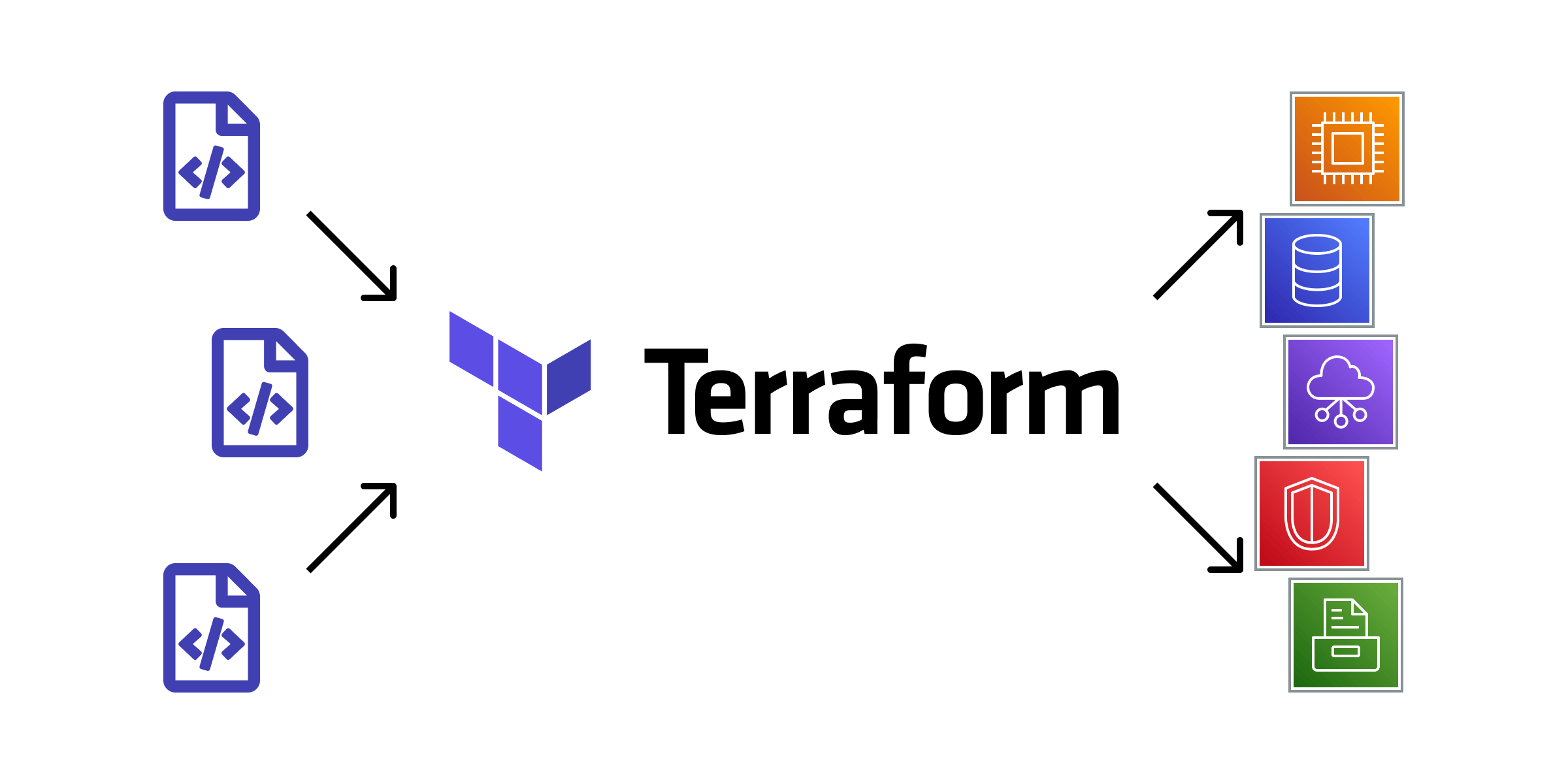
What It Does: Terraform lets you define cloud infrastructure in simple HCL (HashiCorp Configuration Language). You write configuration files, and Terraform provisions, updates, and destroys resources consistently.
Pricing: Free (open-source); commercial Terraform Cloud available
Important Note (2026): Terraform is transitioning from open-source to BSL (Business Source License), which has caused significant community discussion. OpenTofu (fork) and Pulumi offer open-source alternatives.
Key Features:
- Multi-cloud support (AWS, Azure, GCP, 300+ providers)
- State management for tracking infrastructure
- Modular configuration with reusable modules
- Plan-before-apply safety (see what changes before applying)
- Extensive third-party provider ecosystem
User Feedback & Ratings:
- G2 Rating: 4.6/5 (1,800+ reviews)
- Market leader: 32.8% market share in IaC
- Universally praised for simplicity
- Concerns about licensing changes and state management complexity
Pros:
- Industry standard for multi-cloud
- Simple HCL syntax (easier than CloudFormation JSON)
- Extensive provider ecosystem (3,000+ providers)
- Proven at scale (used by major tech companies)
- Modules allow code reuse
- Plan preview before changes
Cons:
- State file management complexity
- No built-in secret management (state contains secrets in plain text)
- Limited testing support
- Licensing shift away from open-source concerns some teams
- Can't roll back automatically on failures
Real-World Usage: Typical Terraform project managing 1,000+ AWS resources: ~1,500 lines of HCL organized across 20-30 modules.
Best For: Multi-cloud infrastructure; teams valuing simplicity; organizations already using Terraform (switching costs are high); any infrastructure not vendor-locked to AWS.
2. Pulumi (Infrastructure as Code with Real Languages)
What It Does: Pulumi is like Terraform but lets you write infrastructure in real programming languages (Python, TypeScript, Go, Java, C#) instead of domain-specific language.
Pricing: Free tier; Pulumi Cloud starts at $15/month for organizations
Key Features:
- Support for major programming languages
- Reusable components and classes
- Easier testing (use your language's test framework)
- Same providers as Terraform (compatible)
- Powerful abstraction capabilities
User Feedback & Ratings:
- G2 Rating: 4.5/5
- Users love the ability to use familiar languages
- Adopting at enterprises: "Developers understand it immediately"
- Primary concern: Smaller ecosystem than Terraform
Pros:
- Use languages your developers already know
- Better code organization with classes and functions
- Powerful abstractions reduce code duplication
- Same provider ecosystem as Terraform
- Easier testing with native language test frameworks
- Create-before-delete strategy reduces downtime (vs Terraform's delete-before-create)
Cons:
- Smaller ecosystem than Terraform (though growing)
- Steeper learning curve if engineers aren't familiar with language chosen
- Less community examples than Terraform
- Switching costs from Terraform are significant
When Pulumi Wins Over Terraform: Organizations where infrastructure is code-heavy and developers benefit from proper programming constructs (classes, functions, loops without HCL workarounds).
Best For: Development teams wanting to code infrastructure; organizations using specific languages (Python teams, TypeScript/Node teams); projects requiring complex logic; shops practicing infrastructure testing.
3. Ansible (Configuration Management)
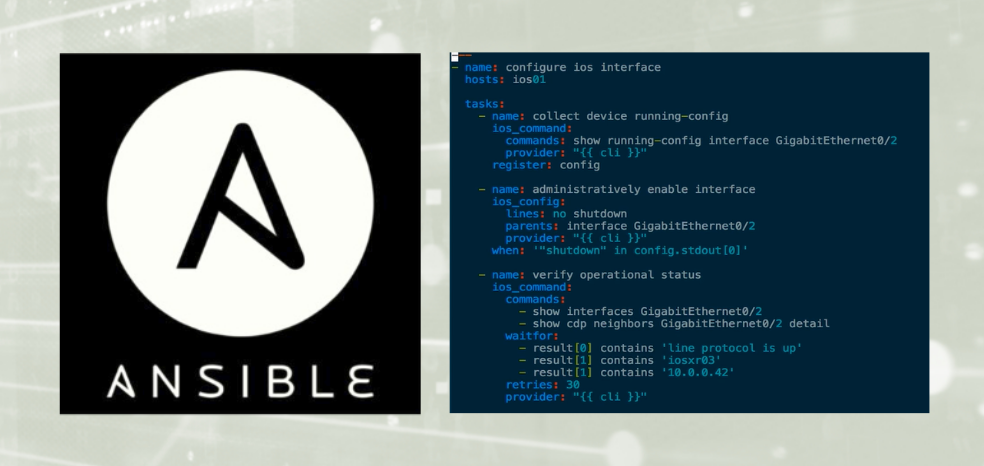
What It Does: Ansible configures and manages existing infrastructure. Unlike Terraform (which provisions), Ansible ensures servers are configured consistently—packages installed, services running, configurations in place.
Pricing: Free/open-source; Red Hat Ansible Automation Platform starts at $5,000+ annually
Key Features:
- Agentless (no software to install on managed servers)
- YAML-based playbooks (human-readable)
- 1,000+ built-in modules
- Push-based configuration
- Excellent for multi-cloud configuration
User Feedback & Ratings:
- G2 Rating: 4.4/5
- Universally praised for ease of learning
- Community: "I had it configuring servers in 1 hour"
- Concerns: Limited state tracking compared to Puppet/Chef
Pros:
- Easiest to learn of the three major tools
- Agentless means less infrastructure overhead
- YAML is easier than Ruby DSL (Chef/Puppet)
- Push-based configuration often maps better to DevOps thinking
- Excellent for one-off tasks and ad hoc changes
- Works across all platforms (Linux, Windows, macOS)
Cons:
- Doesn't track state like Puppet/Chef
- Less suitable for very large-scale management
- Windows support requires PowerShell (not as elegant as Linux via SSH)
- No built-in compliance/audit features
Real-World Scaling: Teams managing 500+ servers generally perform best with Ansible; beyond 1,000+ servers, consider Puppet/Chef for their state tracking capabilities.
Best For: Smaller organizations (under 500 servers); teams valuing simplicity; DevOps shops; configuration consistency across multi-cloud; organizations without existing Puppet/Chef investment.
Comparison: Terraform vs Pulumi vs Ansible
| Factor | Terraform | Pulumi | Ansible |
|---|---|---|---|
| Purpose | Infrastructure provisioning | Infrastructure provisioning | Configuration management |
| Learning Curve | Easy | Moderate (depends on language) | Very easy |
| Language | HCL (domain-specific) | Python, TypeScript, Go, Java, C# | YAML |
| Multi-Cloud | Yes (300+ providers) | Yes (Terraform providers) | Yes |
| State Management | Complex (state files) | Built-in | Minimal |
| Best For | Infrastructure teams | Developer-centric teams | System administrators |
| Pricing | Free (licensing concerns) | Free tier, Pulumi Cloud | Free (commercial version expensive) |
Stage 7: Deployment & Release Tools
Deployment tools orchestrate moving applications from development to production safely. They handle rolling updates, blue-green deployments, canary releases, and automated rollbacks.
1. Argo CD (GitOps Deployment for Kubernetes)
What It Does: Argo CD continuously syncs your Kubernetes cluster to a Git repository. You push Kubernetes manifests to Git, and Argo CD automatically deploys them. If cluster state drifts from Git, it auto-corrects.
Pricing: Free, open-source (CNCF graduated project)
Key Features:
- Declarative GitOps deployment model
- Real-time sync between Git and cluster
- Visual UI for deployment status
- Rollback via Git (revert commits)
- RBAC and multi-tenancy support
- Helm and Kustomize support
User Feedback & Ratings:
- G2 Rating: 4.6/5 (300+ reviews)
- CNCF survey: 115% year-on-year increase in production use (2021-2025)
- Users love the auditability (all changes in Git)
- Large organizations: "Used by Intuit for thousands of applications"
Pros:
- Git as single source of truth (excellent auditability)
- Automatic rollback via Git revert
- Excellent UI for visualizing deployments
- Zero-trust approach (cluster always matches Git)
- Great RBAC capabilities
- Perfect for Kubernetes-native teams
Cons:
- Requires thinking in GitOps model (not traditional DevOps)
- Initial setup complexity for large deployments
- RBAC configuration can be challenging
- Limited for non-Kubernetes applications
- Error messages sometimes cryptic
Adoption Curve: Most teams need 2-3 weeks to get comfortable with GitOps mindset; after that, productivity increases significantly.
Best For: Kubernetes-first organizations; teams already using Git for everything; companies with strong change control requirements; teams wanting auditability and rollback safety.
2. Harness (AI-Powered Continuous Delivery)
What It Does: Harness automates deployment decisions using machine learning. It verifies deployments through monitoring data, automatically rolls back failures, and learns from past deployments to improve reliability.
Pricing: Enterprise-only (custom pricing; typically $10,000+/year for small teams)
Key Features:
- ML-based deployment verification (auto-rollback)
- Support for Kubernetes, traditional VMs, serverless
- Feature flags for gradual rollouts
- Chaos engineering integration
- Cost optimization recommendations
- Deep monitoring tool integration
User Feedback & Ratings:
- G2 Rating: 4.5/5
- Users love: "Deployments actually get safer over time through learning"
- Enterprise teams: "Significantly reduced deployment failures"
- Startup feedback: "Expensive but saves engineering time"
Pros:
- Reduces failed deployments through ML verification
- Supports diverse deployment targets (not just Kubernetes)
- Strong visualization and audit trail
- Cost optimization built-in
- Chaos engineering integration improves resilience
- Feature flags enable safe experimentation
Cons:
- Expensive (enterprise pricing only)
- Less community than open-source alternatives
- Requires proper monitoring setup to shine (garbage in, garbage out)
- Steep learning curve for advanced features
- Vendor lock-in risk
When Harness Wins: Large organizations where failed deployments cost significant money (financial services, e-commerce) can see ROI in 6-12 months through fewer rollbacks.
Best For: Large enterprises; organizations with sophisticated monitoring; companies where deployment failures are costly; teams wanting ML-powered safety.
3. Spinnaker (Multi-Cloud Continuous Delivery)
What It Does: Spinnaker is an open-source multi-cloud deployment platform. It orchestrates complex deployments across multiple clouds with support for canary and blue-green deployments.
Pricing: Free, open-source (but significant operational overhead)
Key Features:
- Multi-cloud deployment (AWS, GCP, Azure, Kubernetes)
- Canary and blue-green deployment strategies
- Automated pipeline creation
- Strong Netflix-originated best practices
- Flexible trigger and notification system
User Feedback & Ratings:
- G2 Rating: 4.3/5
- Production-proven at Netflix scale
- Community feedback: "Powerful but complex to set up"
- Migration from Spinnaker to Harness common: "Maintenance burden too high"
Pros:
- True multi-cloud support
- Advanced deployment strategies (canary, blue-green)
- Battle-tested at Netflix scale
- Strong community (Netflix backing)
- Open-source means full control
Cons:
- Complex setup and maintenance
- Steep learning curve
- Requires significant DevOps resources
- Many deployment strategies make configuration complex
- Operational overhead for upgrades
- Falling out of favor as organizations prefer simpler alternatives
Real-World Insight: Spinnaker requires 2-3 experienced DevOps engineers to maintain even for medium organizations. Most teams migrating to Harness or Argo CD cite reduced operational burden.
Best For: Large organizations with existing Spinnaker investment; multi-cloud deployments requiring advanced strategies; organizations with dedicated DevOps teams.
Stage 8: Monitoring & Observability Tools
Monitoring tools provide visibility into application and infrastructure health. They collect metrics, logs, and traces, enabling teams to detect and troubleshoot issues before customers notice.
1. Prometheus (Metrics Monitoring)
What It Does: Prometheus collects and stores time-series metrics from your applications and infrastructure. It scrapes metrics from configured targets and stores them in a time-series database.
Pricing: Free, open-source (CNCF graduated project)
Key Features:
- Pull-based metric collection
- Powerful PromQL query language
- Service discovery integration
- AlertManager for alerting
- Built-in support for Kubernetes
- Active community and ecosystem
User Feedback & Ratings:
- G2 Rating: 4.5/5
- Community: "De facto standard for cloud-native monitoring"
- Kubernetes ecosystem: "Essential for K8s monitoring"
- Concern: Doesn't provide logs or traces (metrics only)
Pros:
- Industry standard for Kubernetes monitoring
- Simple pull-based approach (easier ops than push)
- Powerful query language (PromQL)
- Excellent Kubernetes integration
- Large ecosystem of exporters and integrations
- Works with Grafana for visualization
- No dependencies for basic setup
Cons:
- Metrics-only (no logs or traces)
- Limited long-term storage (requires additional backends)
- No built-in high availability
- Query language has learning curve
- Requires separate tools for complete observability
Real-World Scale: Typical production Prometheus setup monitoring 1,000 services generates 5-10 million metrics points/hour, requiring multi-node Prometheus setup.
Best For: Kubernetes-native organizations; teams with strong ops teams; organizations happy to combine tools (Prometheus + ELK + Jaeger); open-source-first shops.
2. Datadog (Full-Stack Observability)
What It Does: Datadog provides APM, metrics, logs, real user monitoring (RUM), and synthetic monitoring all in one platform. It's the all-in-one observability solution.
Pricing: Complex usage-based pricing starting ~$15/month per monitored host, but actual costs often 2-10x higher due to add-ons. Real costs average $30,000-$100,000+ annually for mid-sized organizations.
Key Features:
- Application Performance Monitoring (APM)
- Log aggregation and analysis
- Real User Monitoring (RUM)
- Infrastructure monitoring
- Synthetic monitoring
- Automatic anomaly detection
- Service-level objective (SLO) tracking
- 1,000+ integrations
User Feedback & Ratings:
- G2 Rating: 4.5/5
- Market leader: Most popular APM tool globally
- Users love: "Single pane of glass"
- Complaints: "Bills are unexpectedly high"
Pros:
- Most complete observability platform
- Fastest implementation (everything included)
- Best visualization and dashboards
- Strongest community and documentation
- Machine learning for anomaly detection
- Excellent customer support (Enterprise tier)
Cons:
- Complex pricing model hides true costs
- High bill surprises are common
- Expensive for organizations with high logging volume
- Vendor lock-in (everything in Datadog)
- Contract negotiations can be challenging
Real Cost Example: Organization budgeting $50,000 annually often receives bills of $120,000-$180,000 due to:
- Unexpected log volume
- Container restart multipliers
- Host scaling
- Custom metrics
Best For: Large organizations comfortable with complex pricing; teams valuing unified platform; enterprises with budget; organizations where speed of implementation matters most.
3. New Relic (Developer-Friendly Observability)
What It Does: New Relic provides comprehensive observability with APM, infrastructure monitoring, logs, and synthetics. It emphasizes simplicity and fair pricing.
Pricing: Free tier (100GB ingest/month forever); Standard plans $50-$100+/month. Major advantage: Transparent, per-GB pricing with no surprise add-ons.
Key Features:
- Application Performance Monitoring
- Infrastructure monitoring
- Log management
- Real User Monitoring
- Synthetic monitoring
- 780+ integrations
- Free forever plan with real features
User Feedback & Ratings:
- G2 Rating: 4.5/5
- Users consistently praise: "Billing is actually predictable"
- New Relic winning mindshare from Datadog: "Better value for SMBs"
- Enterprise: "Lacks some of Datadog's advanced features"
Pros:
- Transparent, fair pricing (per-GB model)
- Free forever plan with genuine features
- Excellent for small-to-medium organizations
- Growing feature set
- Good documentation
- No surprise bills
Cons:
- Slightly smaller feature set than Datadog
- Smaller community than Datadog
- Less mature for very large-scale deployments
- Some enterprise features require premium tiers
Comparison vs Datadog:
- Small team (5 engineers, $50k annual budget): New Relic typical fit
- Large enterprise (500+ engineers, unlimited budget): Often Datadog
- Mid-market (100 engineers, $200k budget): Could be either
Best For: Small-to-mid-size organizations; startups; teams wanting transparent billing; companies frustrated with Datadog pricing.
4. Prometheus + Grafana (Cost-Effective Alternative)
What It Does: Prometheus collects metrics, Grafana visualizes them. This open-source combination provides powerful monitoring for a fraction of commercial tools' cost.
Pricing: Free, open-source (operational cost is DevOps time)
Key Features:
- Prometheus: Metrics collection and storage
- Grafana: Visualization and alerting
- Large open-source ecosystem
- Community-driven development
- Full operational control
User Feedback & Ratings:
- Community: "Essential for open-source-first shops"
- Mid-market: "Significant operational burden"
- Recommendation: "Free until it costs more to manage than commercial tools"
Pros:
- Zero licensing costs
- Complete control over data
- Scalable to any size
- Excellent for Kubernetes
- Large community ecosystem
Cons:
- Significant operational overhead
- No built-in HA (requires additional setup)
- No logs or traces in basic setup
- Requires skilled DevOps engineers
- Debugging distributed systems still difficult
When Prometheus+Grafana Wins: Open-source organizations with strong DevOps teams happy managing infrastructure. Once operational costs exceed ~$50k/year (engineer time), commercial tools become competitive.
Best For: Startups with technical founders; open-source organizations; teams with strong DevOps talent; organizations where engineering time is cheap.
Stage 9: Code Quality & Security Tools
Code quality tools analyze source code for bugs, security vulnerabilities, and compliance issues before code reaches production.
1. SonarQube (Code Quality Analysis)
What It Does: SonarQube analyzes source code, identifying bugs, security vulnerabilities, and code smells. It provides metrics on code coverage, technical debt, and maintainability.
Pricing (2026):
- Cloud Free: $0 (up to 50k LOC for private projects, unlimited public)
- Cloud Team: $32/month (€30, up to 100k LOC)
- Cloud Enterprise: Custom pricing
- Server Developer: $720/year
- Server Enterprise: $10,000+/year
- Server Data Center: $50,000+/year
Key Features:
- Code quality metrics and ratings
- SAST (Static Application Security Testing)
- Secrets detection
- SCA (Software Composition Analysis) - Enterprise only
- OWASP Top 10 vulnerability detection
- Support for 30+ languages
- Quality gates prevent poor code from merging
User Feedback & Ratings:
- G2 Rating: 4.5/5
- Industry standard for code quality
- Community: "Essential for regulated industries"
- Developers: "Catches real bugs"
Pros:
- Comprehensive code analysis
- Strong security scanning
- Large language support
- Quality gates enforce standards
- Proven at enterprise scale
- Open-source Community Edition available (free)
Cons:
- Commercial tiers expensive
- Initial setup requires configuration
- Some false positives in complex projects
- Server edition requires maintenance
Real-World Impact: Organizations using SonarQube report:
- 30% reduction in critical production bugs
- 50% reduction in security vulnerabilities
- 6-month payback period through reduced incidents
Best For: Organizations with regulatory requirements; teams wanting to shift left on security; companies valuing code quality; any organization with security compliance needs.
2. GitHub Advanced Security (Code Scanning in GitHub)
What It Does: GitHub Advanced Security provides code scanning, secret detection, and dependency scanning integrated directly into GitHub workflows.
Pricing: Included in GitHub Enterprise ($231/user/month) or standalone at $40/repository/month
Key Features:
- SAST scanning in pull requests
- Secret detection
- Dependency vulnerability alerts
- Auto-fix suggestions
- Integration with GitHub Actions
User Feedback & Ratings:
- Increasingly popular for GitHub-first teams
- Users appreciate: "Scanning without leaving GitHub"
- Concern: expensive for organizations with many repositories
Pros:
- Native GitHub integration
- No setup overhead (runs in GitHub Actions)
- Catches vulnerabilities before merge
- Auto-fix suggestions
Cons:
- Expensive if you have many repositories
- Limited to GitHub
- Smaller rule set than SonarQube
Best For: GitHub Enterprise customers; organizations already all-in on GitHub; teams wanting minimal setup.
Testing Tools: Comparison Table
| Tool | Language | Type | Free | Best For |
|---|---|---|---|---|
| Selenium | Multiple | Web UI | Yes | Legacy apps, multi-browser, teams with existing investment |
| Playwright | JS, TS, Python, Java, C# | Web UI | Yes | New projects, modern web apps, reliability |
| Cypress | JS/TS | Web UI | Limited | Frontend teams, fast development |
| TestGrid | Codeless | Low-code automation | No | Enterprise automation, AI-assisted testing |
| Katalon | Codeless | Multi-platform | Yes | Teams without coding skills, quick automation |
| ACCELQ | Codeless + AI | Cloud-based | No | Enterprise QA, AI-powered |
| testRigor | Natural language | Codeless | Limited | Teams wanting natural language tests |
Pricing & Cost Comparison (Annual, Mid-Size Team)
| Category | Tool | Annual Cost | Notes |
|---|---|---|---|
| Version Control | GitHub | $2,400 (10 users × $20/user) | Same for GitLab Pro |
| CI/CD | GitHub Actions | $1,000-$5,000 | Depends on usage |
| Jenkins | $0-$50k | Depends on ops overhead | |
| CircleCI | $2,000-$5,000 | 2,500 credits free/week | |
| Container Registry | Docker Hub | $0-$600 | Free or Pro at $60/month |
| JFrog Artifactory | $7,000-$15,000 | Actual costs (not advertised base) | |
| Nexus Repository | $5,000-$20,000 | Highly variable | |
| CloudRepo | $4,788 | Predictable, all-inclusive | |
| IaC | Terraform | $0-$200 | Free OSS, Cloud adds subscription |
| Pulumi | $0-$180 | Free tier, organization features paid | |
| Monitoring | Prometheus + Grafana | $50-$200k | DevOps labor, not licenses |
| Datadog | $30k-$100k+ | Actual costs (not published rates) | |
| New Relic | $10k-$30k | Transparent per-GB pricing | |
| Code Quality | SonarQube Cloud | $0-$384 | Free tier generous, pro is cheap |
| SonarQube Server | $720-$50k+ | License cost plus ops |
Practical DevOps Stack Recommendations
For Startups (MVP Phase)
Budget: $500-$2,000/month
- Version Control: GitHub Free
- CI/CD: GitHub Actions (free tier)
- Container: Docker (free)
- Orchestration: Docker Compose or K3s (free)
- Monitoring: Prometheus + Grafana (free)
- Artifact Storage: Docker Hub (free)
- Deployment: Manual for now, Argo CD later
Total Cost: ~$50/month (mostly GitHub)
For Small Teams (Series A, $1-10M revenue)
Budget: $3,000-$10,000/month
- Version Control: GitHub Team
- CI/CD: GitHub Actions ($1-2k/month)
- Containers: Docker + Kubernetes on cloud (EKS/GKE: $2-3k/month)
- Monitoring: New Relic ($10k/year) or Prometheus+Grafana (free)
- Artifact Storage: CloudRepo ($400/month)
- Deployment: Argo CD (free)
- Code Quality: SonarQube Cloud Free tier
Total Cost: ~$4,000-$5,000/month
For Mid-Market Teams ($10M-$100M revenue)
Budget: $15,000-$50,000/month
- Version Control: GitHub Enterprise ($231/user/month)
- CI/CD: GitHub Actions + CircleCI ($5-10k/month)
- Containers: Kubernetes on cloud managed service ($10-20k/month)
- Monitoring: Datadog ($30-50k/month)
- Artifact Storage: JFrog Artifactory ($1-2k/month)
- Deployment: Harness ($10-20k/month) or Argo CD (free)
- Code Quality: SonarQube Cloud Team ($32-100/month)
Total Cost: ~$25,000-$40,000/month
For Enterprises ($100M+ revenue)
Budget: $100,000-$500,000/month
- Version Control: GitHub Enterprise Server
- CI/CD: Jenkins (self-hosted, $50-100k ops) + CircleCI/Azure DevOps
- Containers: Kubernetes on cloud + on-premises
- Monitoring: Datadog Enterprise ($100-300k/month)
- Artifact Storage: Nexus or Artifactory Enterprise
- Deployment: Harness Enterprise ($50-100k/month)
- Code Quality: SonarQube Enterprise Edition
- APM: New Relic + Datadog (comprehensive coverage)
- Security: GitHub Advanced Security + SonarQube
Total Cost: $150,000-$300,000/month
Key Considerations When Choosing Tools
1. Avoid Consumption-Based Pricing Surprises
Tools with consumption-based pricing (Artifactory, Datadog, Nexus) frequently cost 3-10x their advertised base price. Request quotes for your actual usage before committing.
2. Plan for Operational Overhead
Free tools (Prometheus, Jenkins, Kubernetes) require engineers to operate. Calculate true cost including salary burden:
- DevOps engineer at $150k/year costs ~$90/hour all-in
- 1 engineer managing Prometheus/Grafana = $90k/year ops cost
- Commercial tools need only $10-20k/year licensing
3. Platform Lock-In vs Flexibility
GitHub Actions are easy but lock you into GitHub. Jenkins is complex but works with any Git platform. Choose based on your long-term platform strategy.
4. Hiring Impact
Popular tools (Docker, Kubernetes, GitHub, Jenkins) have larger labor pools. Obscure tools mean higher hiring friction.
5. Multi-Vendor Stack
Despite marketing promises, most large organizations use 5-10 different tools. Plan for integration complexity and don't expect seamless unification.
The Future of DevOps Tools (2026 Outlook)
Trends Emerging:
- AI-Powered Automation – Harness, SonarQube, and others adding ML-driven features
- GitOps Adoption – Argo CD and Flux gaining ground over traditional deployment tools
- Security-First Thinking – SCA, SAST, and secrets detection moving left
- Kubernetes Ubiquity – Tools increasingly assume Kubernetes as standard
- Consolidation Pressure – Large vendors acquiring smaller tools (Gartner predicts 75% of large enterprises consolidate to 2-3 vendor platforms)
- Open Source Renaissance – Community backlash against commercial tool licensing (OpenTofu forked from Terraform; communities improving Prometheus)
FAQ Top DevOps Tools 2026
FAQ 1: Which DevOps Tools Are Completely Free in 2026?
Q: Which DevOps tools are completely free to use for beginners in 2026?
A: Git, Docker, Kubernetes, Jenkins, Prometheus, Grafana, Ansible, Playwright, Selenium, SonarQube Cloud free tier, and GitHub free public repos are all completely free, open-source tools. These cover most beginner DevOps needs without licensing costs. However, free tools often have operational/infrastructure costs (e.g., someone must manage Jenkins servers).
FAQ 2: What Is the Best Learning Order for DevOps Tools Beginners?
Q: What's the recommended learning roadmap for DevOps tools for beginners in 2026?
A: Start with Git/GitHub for version control, then GitHub Actions for CI/CD automation, followed by Docker for containerization, and finally monitoring tools like New Relic free tier. This path progresses logically from code management → automated testing/building → packaging → production visibility. Skip advanced tools (Jenkins, Kubernetes, Terraform) until you have real production needs.
FAQ 3: Is Datadog or New Relic Better for Small Teams in 2026?
Q: Should small DevOps teams choose Datadog or New Relic for monitoring in 2026?
A: New Relic is better for small teams because it offers 100GB free ingest monthly forever with transparent per-GB pricing. Datadog's actual costs often run 2-10x advertised base rates (hidden add-ons). New Relic typically costs $2,000-5,000/year for small teams versus $30,000+/year for Datadog. New Relic wins on cost predictability and fair pricing for SMBs.
FAQ 4: Do I Actually Need Kubernetes for My Startup in 2026?
Q: Do beginner DevOps teams and startups need to use Kubernetes in 2026?
A: No—startups should skip Kubernetes initially and use Docker Swarm or cloud-managed alternatives (AWS Fargate, Google Cloud Run) instead. Kubernetes has high operational overhead and learning curve; most startups need it only after managing 100+ containers across multiple servers. Start simple with Docker + Docker Compose, upgrade only when pain becomes real.
FAQ 5: What Are the Hidden Costs in DevOps Tool Pricing I Should Know About?
Q: What hidden costs should I watch for when evaluating DevOps tool pricing in 2026?
A: Consumption-based tools (Datadog charges per host + logs + metrics), data egress costs (AWS, cloud providers), managed service markups (AWS EKS charges $73/month + compute), and operational labor (self-hosted tools need engineers at ~$90k/year). Always request quotes for YOUR actual usage volume—advertised pricing masks real costs. New Relic and open-source tools often provide better transparency.
Conclusion
Choosing DevOps tools is less about finding the "best" tool and more about finding the right balance for your organization's size, sophistication, and budget constraints. The tools that work for a 10-person startup will overwhelm them with complexity and cost; the tools that satisfy an enterprise's security and scale requirements will frustrate a lean team with slow deployment cycles.